Proton VPN लाइव चैट का इस्तेमाल कैसे करें
- पढ़ने का समय
- 0 मिनट
- श्रेणी
- शुरू करें
हमारी 24/7 लाइव चैट सेवा के ज़रिए आप अपनी सहायता से जुड़ी ज़रूरतों पर चर्चा करने के लिए हमारी सहायता टीम से वन-टू-वन लाइव टेक्स्ट चैट में संपर्क कर सकते हैं। ये खासियत पेड Proton VPN प्लैन वाले सभी के लिए उपलब्ध है।
Proton VPN लाइव चैट सहायता अनुरोधों को संभालने के लिए ZenDesk का इस्तेमाल करती है, लेकिन सभी चैट हमारी विशेषज्ञ इन-हाउस सहायता टीम करती है।
लाइव चैट सत्र शुरू करने के लिए:
1. account.protonvpn.com पे अपने Proton VPN खाते में साइनइन करें और अपने Proton खाते का नाम → हमसे बात करें पे क्लिक करें।
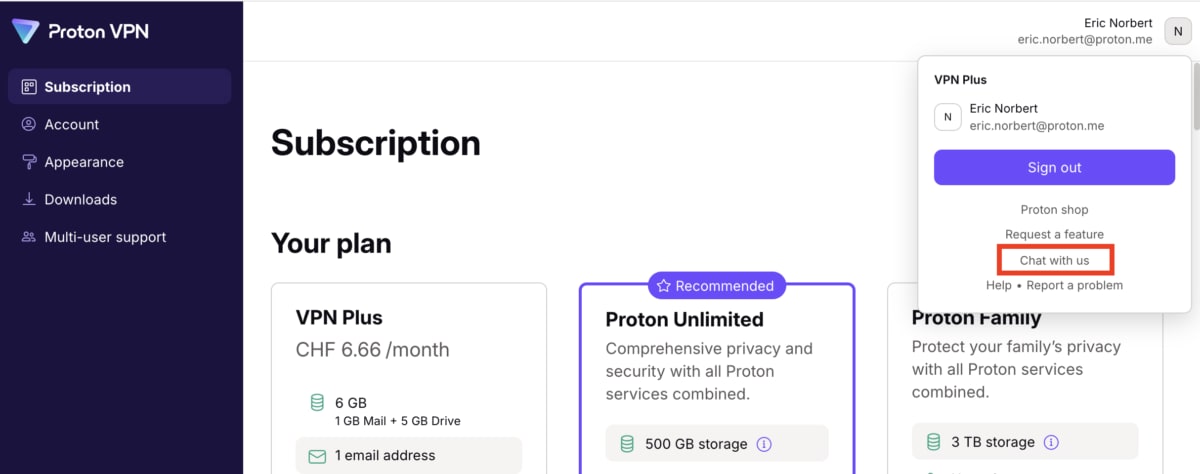
या:
2. protonvpn.com(नई विंडो) पे जाएं, पेज के सबसे नीचे स्क्रॉल करें और लाइव चैट पे क्लिक करें। आगे बढ़ने के लिए आपको अपने Proton खाते में साइनइन करना होगा।

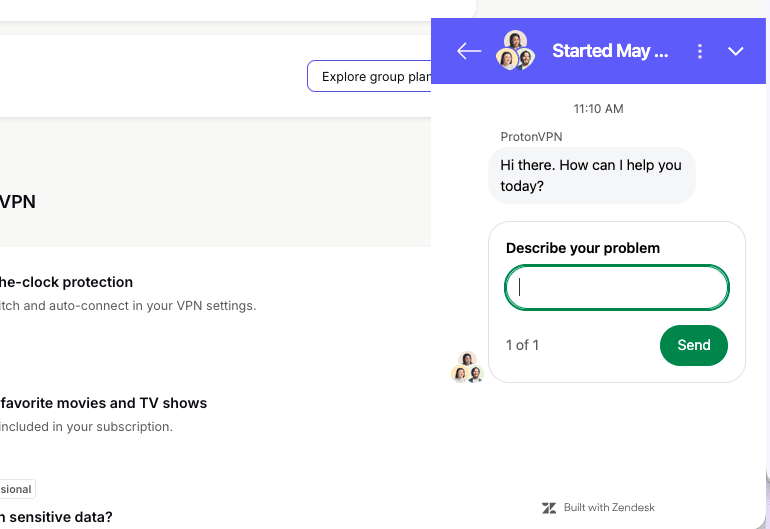
जब लाइव चैट विंडो दिखे, तो बस अपनी समस्या बताएं और हमारी सहायता टीम के किसी सदस्य से बातचीत शुरू करने के लिए भेजें पे क्लिक करें।