


Proton VPN ile M6+ engellemesi nasıl kaldırılır
- Okuma süresi
- 4 dakikalık
- Kategori
- Yayın akışı izleme kılavuzları
M6+ (eski adıyla 6play), Fransa’da M6 Grubu (M6 Group) olarak adlandırılan bir medya grubu tarafından kurulan bir Fransız geriye dönük televizyon izleme (catch-up) yayın akışı hizmetidir. Bu yayın akışı hizmeti, yayın akışı izlemek için yedi TV kanalından içerikler sunar: M6, W9, 6ter, Gulli, Paris Première, Téva ve Le Live by M6+.
Bu makalede, M6+ izlemek için Proton VPN’i nasıl kullanabileceğiniz açıklanmaktadır:

Fransa genelindeki Canal+, France.tv ve Netflix‘in Fransız sürümü, Disney+ ve Amazon Prime Video gibi diğer popüler yayın akışı hizmetlerinin engelini kaldırmak için de Proton VPN kullanabilirsiniz.
Yayın akışı kılavuzumuz, desteklediğimiz tüm yayın akışı hizmetlerini listelemektedir.
Tarayıcınızdan Proton VPN ile M6+ nasıl izlenir
1. Henüz yapmadıysanız, aygıtınız için Proton VPN indirmeniz ve kurmanız gerekir.
- Windows için Proton VPN(yeni pencere)
- macOS için Proton VPN(yeni pencere)
- Linux için Proton VPN(yeni pencere)
2. Proton VPN aracılığıyla yayın akışı hizmetlerini kullanmak için ücretli bir Proton VPN tarifesine ihtiyacınız olacaktır. Zaten bir Free tarifeniz varsa, hesabınızı yükseltin; bunun için oturum açıp hesabınızın Abonelik sayfasından istediğiniz tarifeyi seçin.
Bir Proton VPN hesabınız yoksa, buradan bir Plus veya Unlimited tarifesi için hesap açabilirsiniz(yeni pencere).
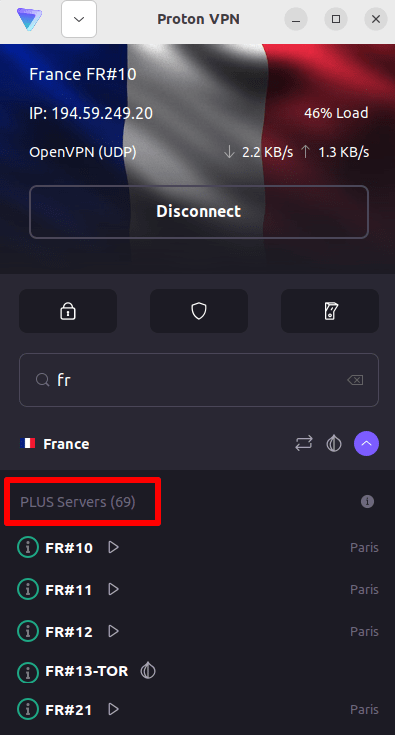
3. Proton VPN’de oturum açın ve Fransa‘da bulunan herhangi bir sunucuya bağlanın.
4. https://www.m6.fr/ adresindeki M6+ web sitesini ziyaret edin ve bir hesap açın. Ücretli (premium) içerikleri izlemek isteyenler için ücretli seçenekler mevcut olsa da M6+ üzerinden yayın akışı izlemek için ücretli bir aboneliğe ihtiyacınız yoktur.
5. M6+ hesabınızda oturum açın ve Proton VPN ile güvenli bir şekilde yayın akışı izlemeye başlamak için yeğlediğiniz canlı veya geriye dönük televizyon yayınını seçin!
iOS ve Android’de Proton VPN ile M6+ nasıl izlenir
1. Henüz yapmadıysanız, aygıtınız için Proton VPN indirmeniz ve kurmanız gerekir.
2. Proton VPN aracılığıyla yayın akışı hizmetlerini kullanmak için ücretli bir Proton VPN tarifesine ihtiyacınız vardır. Zaten bir Free tarifeniz varsa, hesabınızı yükseltin; bunun için oturum açıp hesabınızın Abonelik sayfasından istediğiniz tarifeyi seçin.
Bir Proton VPN hesabınız yoksa, buradan bir Plus veya Unlimited tarifesi için hesap açabilirsiniz(yeni pencere).
3. Proton VPN’de oturum açın ve Fransa‘da bulunan herhangi bir sunucuya bağlanın.

4. M6+ uygulamasını indirin ve bir hesap açın. M6+ ile yayın akışı izlemeye başlamak için ücretli bir aboneliğe ihtiyacınız yoktur. Ancak ücretli içeriklere erişmek isteyenler için ücretli abonelikler mevcuttur.
Not: M6+ iOS uygulaması(yeni pencere) ve M6+ Android uygulaması(yeni pencere) tüm ülkelerde mevcut değildir.
5. M6+ hesabınızda oturum açın ve güvenli bir şekilde canlı Fransız televizyonu yayın akışını izlemeye veya yeğlediğiniz Fransız programlarını geriye dönük olarak izlemeye başlayın!
Android TV’de Proton VPN ile M6+ nasıl izlenir
1. Android TV’nizde Proton VPN kullanarak M6+ izlemek için öncelikle Android TV Proton VPN uygulamasını indirmeniz(yeni pencere) gerekir. Android TV’yi ayarlama ve doğru sunucuya bağlanma yönergeleri için Android TV destek kılavuzumuza göz atın.
2. Android TV aygıtınızı kullanarak Fransa‘da bulunan bir sunucuya bağlanın.
Plus sunucularımıza bağlanmak için ücretli bir Proton VPN tarifesine ihtiyacınız vardır. Zaten bir Free tarifeniz varsa, hesabınızı yükseltin; bunun için oturum açıp hesabınızın Abonelik sayfasından istediğiniz tarifeyi seçin.
Bir Proton VPN hesabınız yoksa, buradan bir Plus veya Unlimited tarifesi için hesap açabilirsiniz(yeni pencere).
3. Android TV aygıtınıza M6+ uygulamasını(yeni pencere) kurun ve henüz bir hesabınız yoksa bir hesap açın. M6+ ile yayın akışı izlemeye başlamak için ücretli bir aboneliğe ihtiyacınız yoktur. Ancak ücretli içeriklere erişmek isteyenler için ücretli abonelik seçenekleri mevcuttur.
4. M6+ uygulamasını açın ve hesabınızda oturum açın. Artık yeğlediğiniz tüm Fransız televizyon programlarını Proton VPN ile güvenli bir şekilde izlemeye başlayabilirsiniz!
M6+ yayın akışı izleme sorunlarını giderme
Yukarıdaki adımları uyguladıktan sonra M6+ çalışmazsa aşağıdaki sorun giderme seçeneklerini deneyin.
- Proton VPN uygulamasını yeniden başlatın ve yeni bir VPN bağlantısı kurun.
- M6+ platformuna tarayıcınız üzerinden erişiyorsanız tarayıcı önbelleğinizi temizlemeyi(yeni pencere) deneyin.
- Aygıtınızı yeniden başlatın.
- DNS önbelleğinizi temizleyin (Windows, Mac veya Linux).
Bu seçeneklerden hiçbiri işe yaramazsa lütfen Yayın akışı sorun giderme kılavuzumuza göz atın veya Destek ekibimizle iletişime geçin(yeni pencere).