How to use Proton VPN Live Chat
- وقت القراءة
- 2 mins
- Category
- Get started
With our 24/7 Live Chat service, you can contact our Support team for a one-to-one live text chat to discuss your support needs. This feature is available to everyone with a paid Proton VPN plan.
Proton VPN Live Chat uses ZenDesk to manage support requests, but all chats are performed by our expert in-house Support team.
To start a Live Chat session, either:
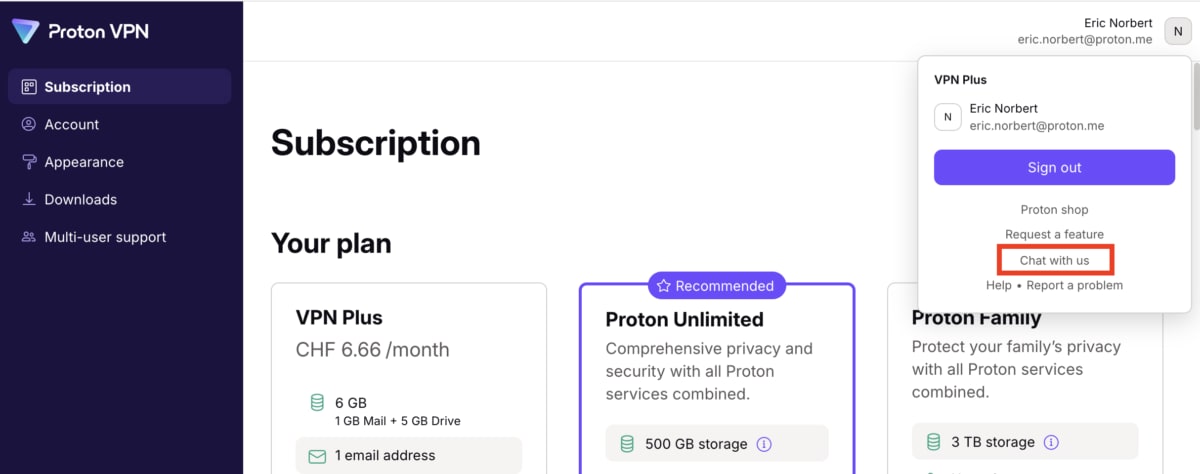
1. Sign in to your Proton VPN account at account.protonvpn.com and click your Proton Account name → Chat with us.
or:
2. Go to protonvpn.com(نافذة جديدة), scroll to the bottom of the page, and click Live chat. You’ll need to sign in to your Proton Account to proceed.

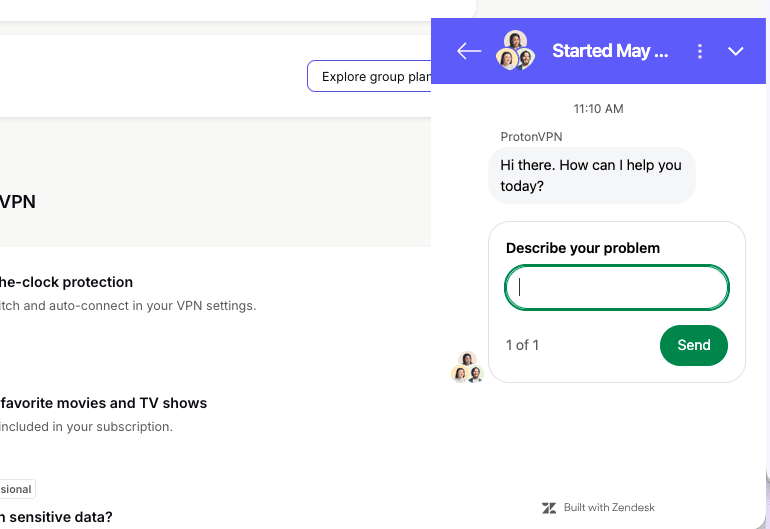
When the Live Chat window appears, simply describe your problem and click Send to start talking with a member of our Support team.