


How to test-run Proton VPN early access apps
- Reading
- 7 mins
- Category
- Download and installation
You can help us trial-run the early-access (beta) versions of our apps. Doing this may give you access to new features before they become available to the rest of our community, but you should expect to run into the occasional bug.
If you do, please let us know, so we can fix it before releasing new app versions to the wider Proton VPN community.
Learn how to report an issue or bug in Proton VPN
Windows
1. Open up the Proton VPN app, go to Settings → General → Beta access and toggle the switch on.

macOS
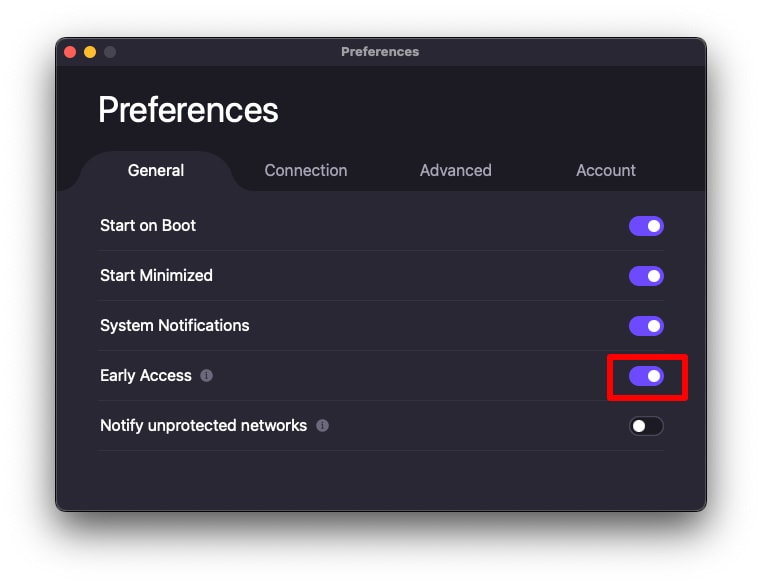
1. Open the Proton VPN app and go to the macOS menu bar → ProtonVPN → Settings.

2. Go to the General tab and toggle the Early Access switch on to receive early access to the latest builds of our software.
Linux
We only officially support our beta Proton VPN for Linux apps on the following platforms running the GNOME desktop environment. Please click the relevant link for full setup instructions:
Note that these instructions work for both our official (GUI) Linux app and Linux CLI.
The Proton VPN app may also work on other distributions (especially those based on Debian and Ubuntu), but support for unsupported distros may be limited.
Android and Android TV
When you sign up for the Proton VPN beta program on Google Play Store, all your Android devices (including your Android TV, Chromebook, and Amazon Fire Stick devices) will use the early access version of the app.
You can sign up for the Proton VPN beta program on Android in two ways:
On your Android device
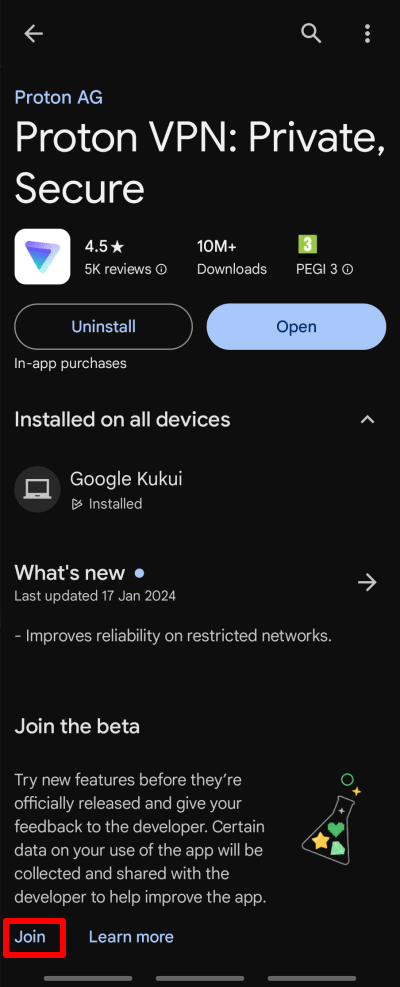
1. Open the Play Store app and search for Proton VPN. Scroll down to the Join the beta section and tap Join.
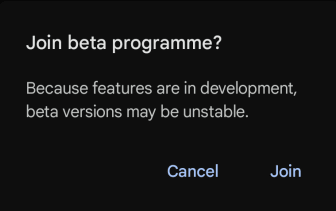
2. Tap Join to confirm that you want to join the Proton VPN beta testing program.
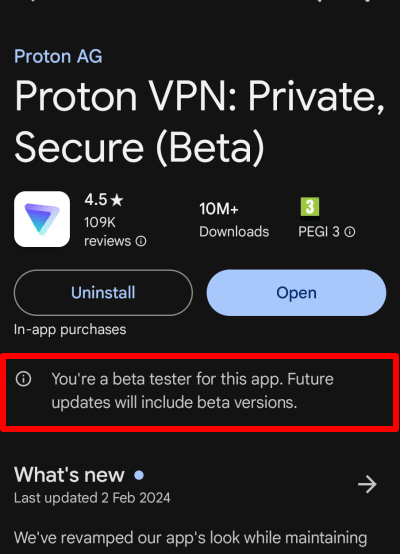
That’s it, you have joined the Beta testing program! If you would like to leave Beta testing program, you can tap on Leave.
Via Google Play Store website
While logged in with your Google account, go to the Proton VPN Play Store download page(new window) and click Become A Tester.

And that’s it! You have registered for Proton VPN Android app beta. You can download the app or leave the beta program inside the Proton VPN Android app page in Google Play Store

iOS and iPadOS
1. Download and install the TestFlight app(new window).
2. Open this link(new window) on your iPhone or iPad.
3. Tap Accept for the Proton VPN app → Install.

Apple TV
There are two ways trial-run the early-access Apple TV app.
Using an iPhone or iPad
Note that for this to work, your Apple TV and your iPhone or iPad must be registered to the same Apple Account.
1. Download and install the TestFlight app(new window) onto your iPhone or iPad.
2. Open this li(new window)nk on your iPhone or iPad.
3. Tap Accept for the Proton VPN app. Proton VPN now appears in TestFlight on your iPhone or iPad. You can’t install the Apple TV app from there, but accepting the invitation makes it available on your Apple TV.
4. On your Apple TV, search for and install the TestFlight app.
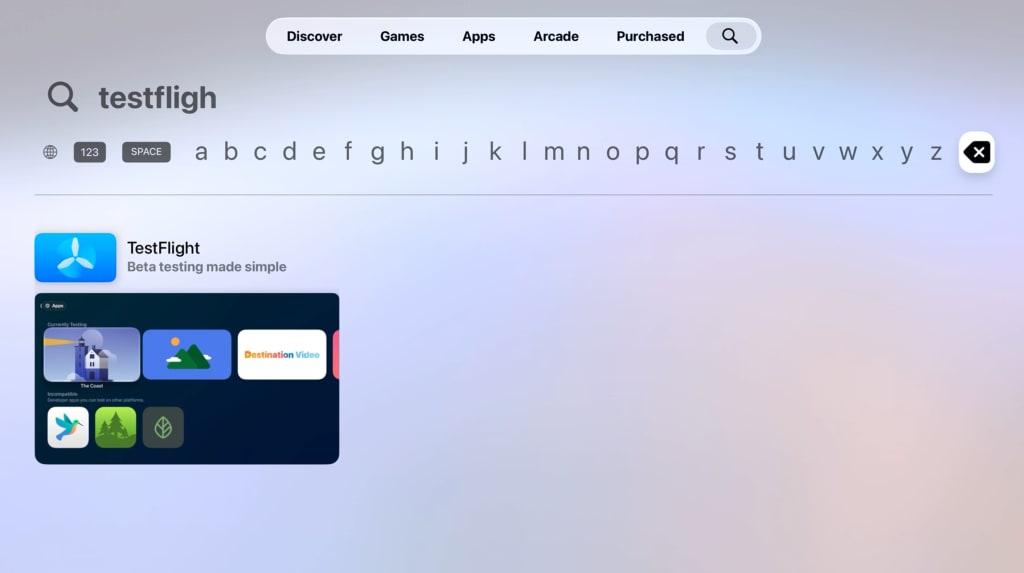
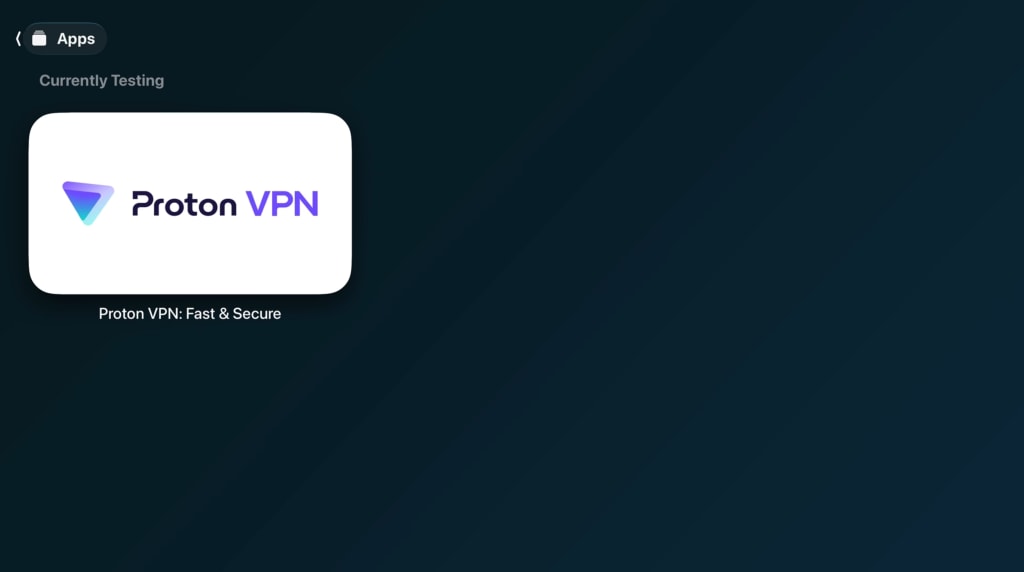
5. Open TestFlight and select Proton VPN.
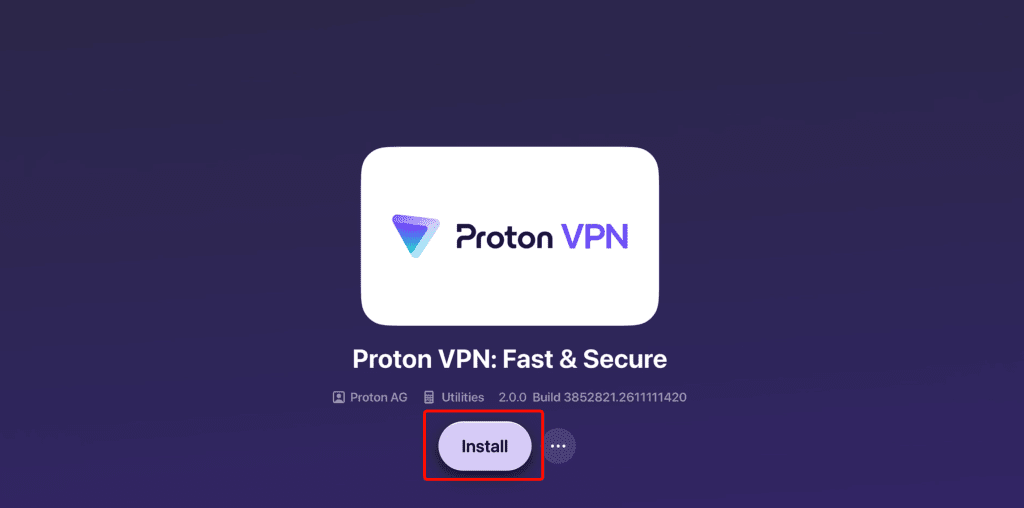
6. Select Install.
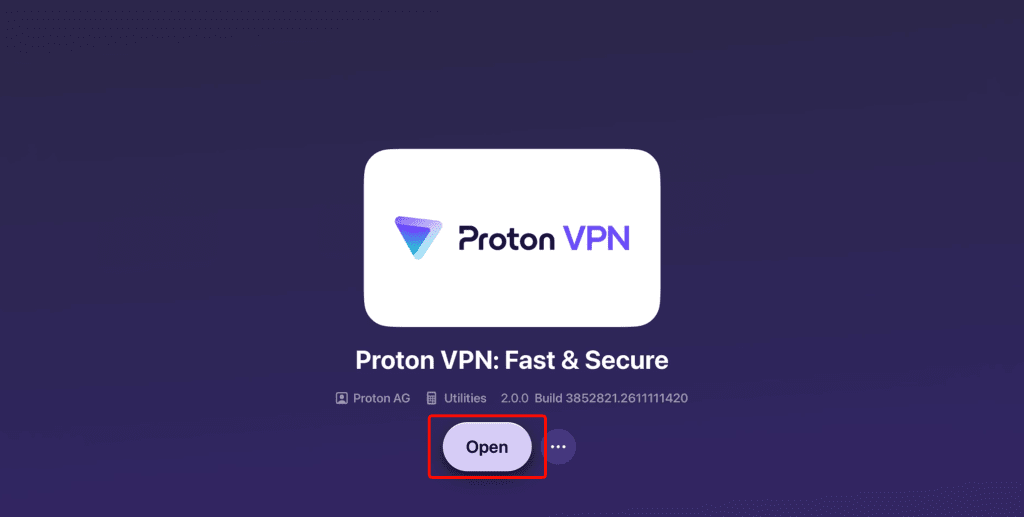
7. Select Open to launch the Proton VPN early-access app. After that, you can also open it from your Apple TV Home Screen.
Without an iPhone or iPad
If you don’t have an iPhone or iPad, you can join the Apple TV early-access program using a special invitation code. To obtain an invitation code, please contact our support team. Then:
1. On your Apple TV, search for and install the TestFlight app.
2. Open TestFlight and select Redeem.

If you’re already testing other apps, swipe from left to right to open the side menu and select Redeem from there.
3. Enter the invitation code provide by Support and select Redeem.
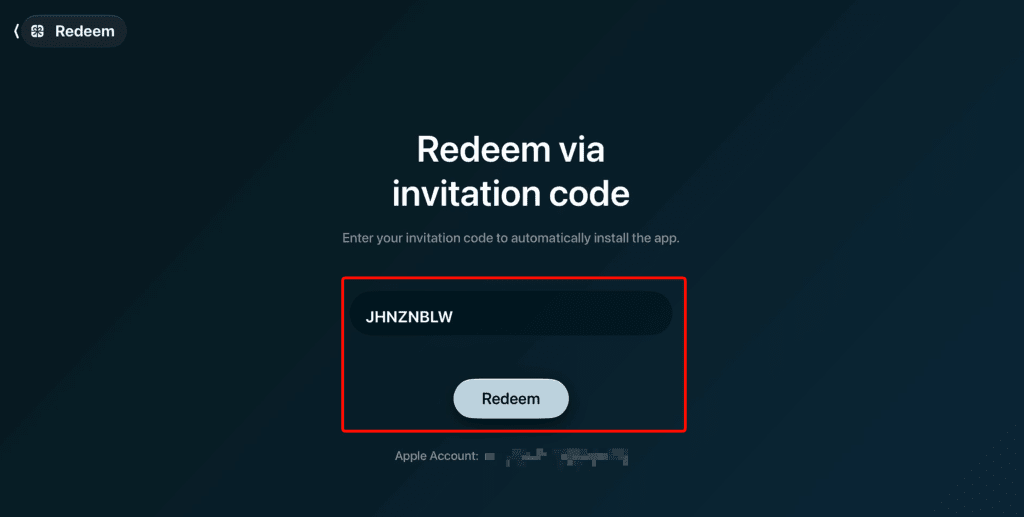
Follow steps 5–7 above to install and open the Proton VPN early-access app.
Frequently asked questions
While in early access, you will always get to test the newest app bug fixes and features before they are released to the public. Also, you will be able to report any bugs the build might have, which will allow us to provide a better application to the community.
No, you won’t need to install two separate applications; the early access build will replace the Proton VPN app that you have already installed.
You will get to use newest app builds and features first and you will be able to directly participate in the app development by providing feedback and reporting bugs.
Yes, you can leave early access at any time and you can also return to it at any time.