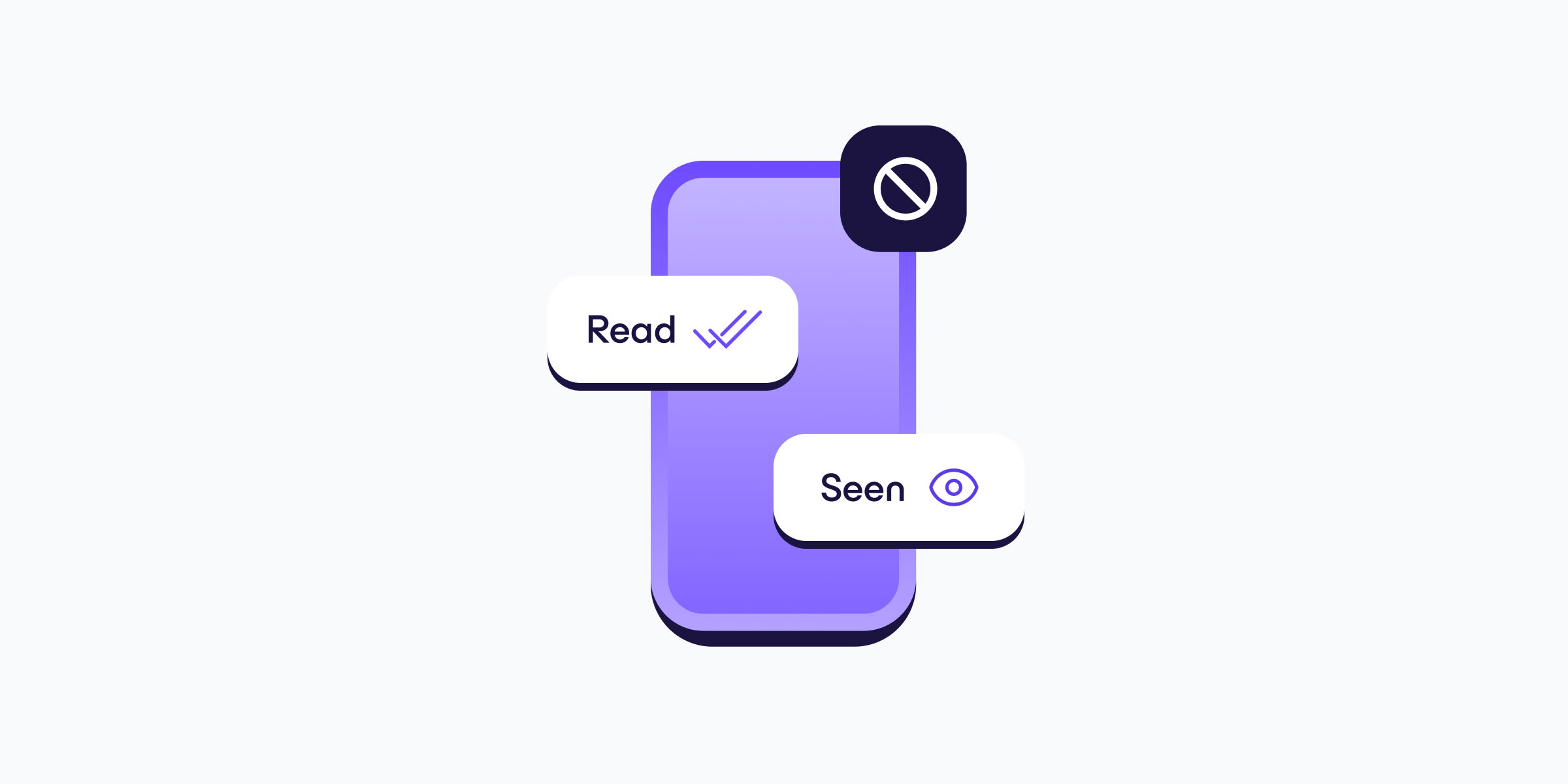
Bukti baca sangat praktis saat mengirim pesan teks ke orang lain. Fitur ini memberi tahu bahwa penerima pesan telah menerima dan membukanya. Namun, sebagai penerima, ada rasa kurang nyaman karena mengetahui orang lain dapat melacak apakah pesannya telah dibaca. Dalam artikel ini, akan dijelaskan cara menjaga privasi dengan menonaktifkan bukti baca di ponsel.
- Cara menonaktifkan bukti baca di iPhone (Pesan)
- Cara menonaktifkan bukti baca di Android (Google Messages)
- Cara menonaktifkan bukti baca di Android (Samsung Messenger)
- Cara menonaktifkan bukti baca di WhatsApp
- Cara menonaktifkan bukti baca di Signal
- Apa yang membuat bukti baca berbahaya?
- Apa aplikasi pesan yang paling aman?
SMS tradisional tidak mendukung bukti baca untuk pesan. Namun, sebagian besar aplikasi pengirim pesan SMS modern kini secara bawaan menggunakan protokol Rich Communication Services (RCS) yang lebih baru, yang berfungsi di antara perangkat Apple dan Android yang lebih baru serta memungkinkan konten pesan yang jauh lebih kaya (seperti pesan multimedia, obrolan grup, dan bukti baca). Aplikasi pihak ketiga menggunakan protokol mereka sendiri.
Cara menonaktifkan bukti baca di iPhone
Di iPhone, aplikasi Pesan mendukung SMS tradisional, RCS (pada ponsel yang lebih baru), dan protokol pesannya sendiri, iMessage. Untuk menonaktifkan bukti baca untuk semua pesan:
- Buka Pengaturan.
- Buka Aplikasi → Pesan.
- Gulir ke Kirim Bukti Baca dan geser sakelar ke mati.

Untuk kontak iMessage (ditandai dengan ikon gelembung biru), bukti baca juga dapat dinonaktifkan untuk kontak tertentu. Untuk melakukannya:
- Buka utas teks dari kontak iMessage.
- Ketuk foto profil kontak di bagian atas layar.
- Gulir ke opsi Kirim Bukti Baca dan geser ke mati.

Cara menonaktifkan bukti baca di Google Messages
Google Messages adalah aplikasi pengirim pesan SMS dan RCS bawaan di sebagian besar ponsel Android non-Samsung (dan sudah terpasang bahkan di ponsel Samsung). Untuk menonaktifkan bukti baca RCS:
- Buka aplikasi Google Messenger.
- Ketuk foto profil (kanan atas).
- Buka Setelan pesan → Obrolan RCS dan geser sakelar Kirim bukti baca ke mati.

Cara menonaktifkan bukti baca di Samsung Messenger
Samsung Messenger adalah aplikasi pengirim pesan SMS dan RCS bawaan di ponsel Samsung. Untuk menonaktifkan bukti baca RCS:
- Buka aplikasi Samsung Messenger.
- Ketuk menu tiga titik (⋮).
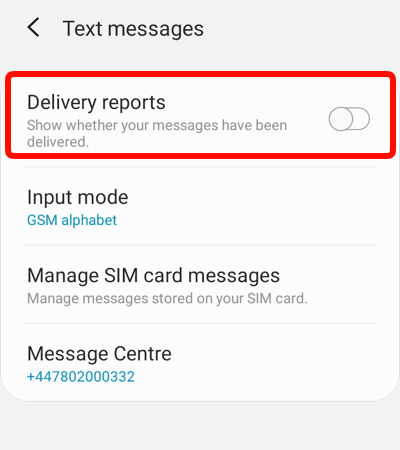
- Buka Pengaturan → Pengaturan lainnya → Pesan teks dan geser sakelar Laporan pengiriman ke mati.
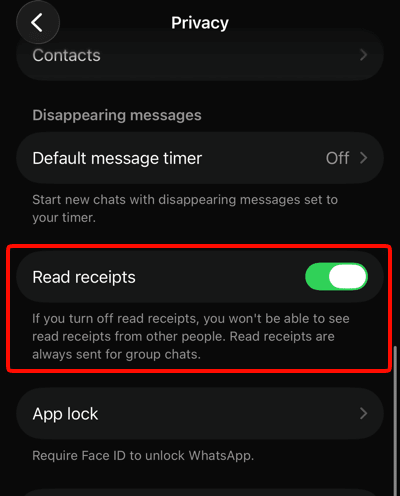
Cara menonaktifkan bukti baca di WhatsApp
- Buka aplikasi WhatsApp.
- Ketuk Anda di kanan bawah (iPhone) atau menu tiga titik (⋮) → Setelan di kanan atas (Android).
- Buka Privasi.
- Geser sakelar Bukti Baca ke mati.
Perhatikan bahwa pengaturan bukti baca di WhatsApp(jendela baru) bersifat timbal balik. Artinya, saat memilih untuk tidak mengirimkan bukti baca kepada orang lain, Anda juga tidak dapat melihat kapan mereka membaca pesan yang dikirim. Bukti baca selalu dikirim dalam obrolan grup.
Cara menonaktifkan bukti baca di Signal
Sama seperti WhatsApp, bukti baca adalah fitur timbal balik di Signal(jendela baru). Saat dinonaktifkan, bukti baca dari kontak lain juga tidak akan dapat dilihat.
- Buka aplikasi Signal.
- Ketuk ikon profil di kiri atas.
- Buka Privasi → Pesan → Bukti Baca dan matikan sakelarnya.

Apa yang membuat bukti baca berbahaya?
Bukti baca sebenarnya tidak berbahaya dan bisa sangat berguna untuk percakapan sehari-hari. Namun, ada potensi risiko saat bertukar pesan dengan orang asing, alih-alih dengan orang yang tepercaya.
Penipu dapat menggunakan bukti baca sebagai konfirmasi bahwa ada orang sungguhan dan aktif di balik nomor telepon tersebut, yang dapat membuat target menjadi lebih menarik untuk upaya penipuan berikutnya.
Bukti baca juga membuat stempel waktu saat pesan dibaca. Seiring waktu atau di tangan yang salah, hal ini dapat mengungkap pola seperti saat terjaga, sedang bekerja, atau saat dapat dihubungi. Dalam konteks pelecehan atau penguntitan, hal tersebut menjadi sinyal langsung bahwa seseorang sedang aktif dan melihat ponselnya.
Tentu saja, ada konsekuensi lain yang kurang serius dari penggunaan bukti baca. Jika fitur ini diaktifkan lalu pesan dibaca tetapi tidak segera dibalas, pengirim pesan bisa saja merasa kesal. Dan jika mengaku sibuk, tetapi bukti baca menunjukkan bahwa ponsel sedang aktif digunakan, mungkin akan ada beberapa pertanyaan canggung yang harus dijawab.
Apa aplikasi pesan paling aman?
Aplikasi pesan paling aman menawarkan privasi dan keamanan. Privasi tidak dapat diharapkan saat berkirim pesan menggunakan SMS, karena pesan tidak terenkripsi dan dapat dibaca oleh operator seluler maupun pengembang aplikasi (seperti Apple, Google, dan Samsung).
Aplikasi seperti WhatsApp dan Facebook Messenger (tetapi bukan Instagram(jendela baru)) kini menawarkan enkripsi end-to-end(jendela baru) sehingga Meta tidak dapat membaca konten pesan, tetapi aplikasi tersebut masih mengirimkan metadata dalam jumlah besar (seperti dengan siapa berbicara, kapan, berapa lama, dengan siapa mereka berbicara, dll.) ke Meta, yang menggunakan informasi ini untuk menargetkan iklan yang dipersonalisasi.
Sejak Mei 2026, E2EE(jendela baru) telah diluncurkan antara iPhone (yang menjalankan SO 26.5+) dan perangkat Android yang menjalankan Google Messages terbaru (tetapi bukan Samsung Messenger pada saat penulisan). Namun sekali lagi, metadata tetap dapat dilihat tidak hanya oleh Apple dan Google, tetapi juga oleh penyedia internet.
Pilihan yang jauh lebih baik adalah menggunakan aplikasi open source yang benar-benar melindungi privasi(jendela baru) (seperti Signal atau beberapa aplikasi obrolan dan pesan Eropa(jendela baru) yang ada di pasar saat ini).
Pemikiran akhir
Bukti baca bukanlah sesuatu yang terlalu perlu dikhawatirkan oleh sebagian besar orang. Bagi teman, keluarga, dan rekan kerja, fitur ini merupakan kemudahan kecil dengan sedikit dampak buruk yang nyata. Namun, risikonya meningkat jika berhadapan dengan orang asing, kontak yang tidak diinginkan, atau siapa saja yang tidak diinginkan untuk melacak kebiasaan.
Kabar baiknya adalah setiap aplikasi pesan utama memberikan opsi untuk menonaktifkannya, dan hal ini hampir tidak memerlukan pengorbanan apa pun (paling banyak, sedikit ketidakpastian tentang apakah seseorang sudah melihat pesan atau belum). Jika privasi merupakan prioritas, padukan bukti baca yang dinonaktifkan dengan aplikasi terenkripsi(jendela baru) yang benar-benar pribadi seperti Signal yang tidak mengumpulkan dan mengomersialkan data.