How to clear your browser cache and cookies
- وقت القراءة
- 3 mins
- Category
- Get started
Sometimes you’ll need to clear your browser’s cache and cookies to access your Proton VPN account (reason include, but are not limited to, corrupted cache or new version available). Below, we describe how to do this in different browsers.
- Chrome and Brave (desktop)
- Firefox (desktop)
- Safari (macOS)
- Microsoft Edge (Windows)
- Safari (iOS and iPadOS)
- Chrome (Android)
- Firefox (Android)
Chrome and Brave (desktop)
1. Go to the Menu icon (⋮ on Chrome, ☰ on Brave)) → Settings → Privacy and security → Delete browsing data.
2. Select More → All time.
3. Ensure Cookies and other site data and Cached images and files are selected, then click Delete from this device.

Firefox (desktop)
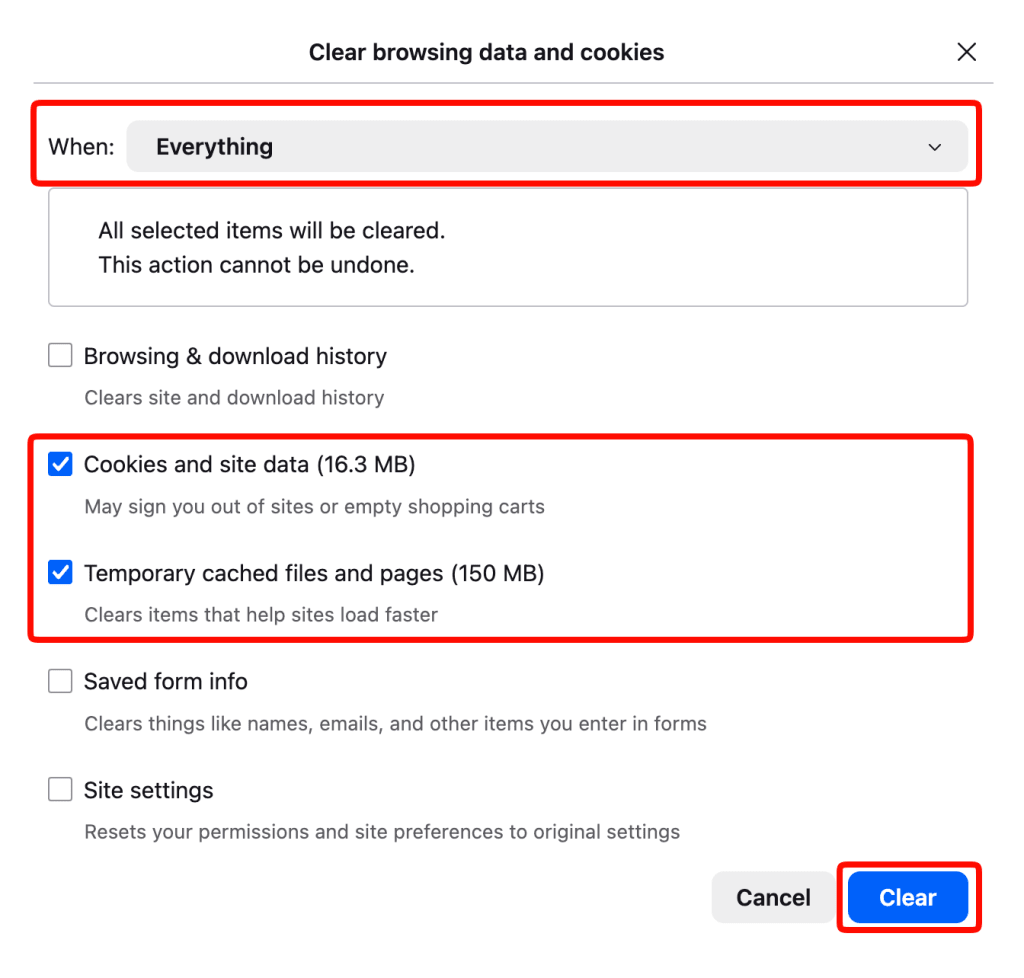
1. Go to the Menu icon (☰) → Settings → Privacy & security → Cookies and Site Data → Clear browsing data.
2. Select When → Everything.
3. Ensure Cookies and site data and Temporary cached files and pages are selected, then click Clear.
Safari (macOS)
1. Go to the macOS menu bar → Safari → Settings → Privacy tab → Website data → Manage Website Data.
2. Click Remove all, followed by Done.

Microsoft Edge (Windows)
1. Go to the Menu icon (⋯) → Settings → Privacy, search, and services → Clear browsing data → Clear browsing data now → Choose what to clear → .
2. Select Time range → All time.
3. Ensure Cookies and other site data and Cached images and files are selected, then click Clear now.

Safari (iOS and iPadOS)
1. Open the Settings app and go to apps → Safari → History and Website Data → Clear History and Website Data
2. Select Clear Timeframe → All history.
3. Tap the Clear History button.

Chrome (Android)
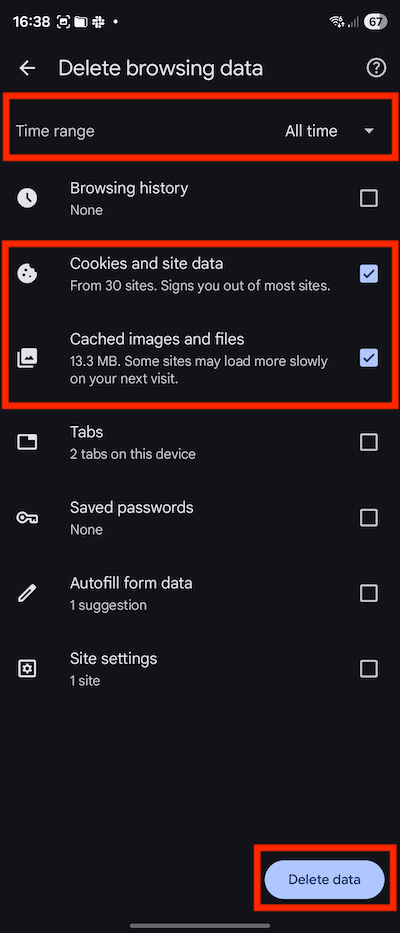
1. Tap to the Menu icon (⋮) → Settings → Privacy and security → Privacy → Delete browsing data.
2. Select Time range → All time.
2. Ensure Cookies and site data and Cached images and files are selected, then tap Delete data.
Firefox (Android)
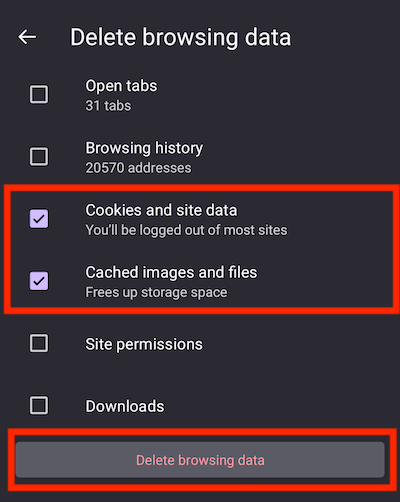
1. Tap to the Menu icon (⋮) → Settings → Privacy & security → Delete browsing data.
2. Ensure Cookies and site data and Cached images and files are selected, then tap Delete browsing data.