


更改 VPN 协议
- 阅读
- 1 分钟
- 类别
- 协议
Proton VPN 使用多种安全的 VPN 协议,包括 WireGuard、OpenVPN、Stealth、IKEv2 和 Smart Protocol。
Smart Protocol 会自动为您的连接选择最佳协议。它在所有支持该功能的应用中默认启用,我们建议保持开启。
如果您想使用其他协议,可以在应用设置中进行更改。
Windows
1. Open Proton VPN and go to Settings.
2. Select Protocol (under Connections).
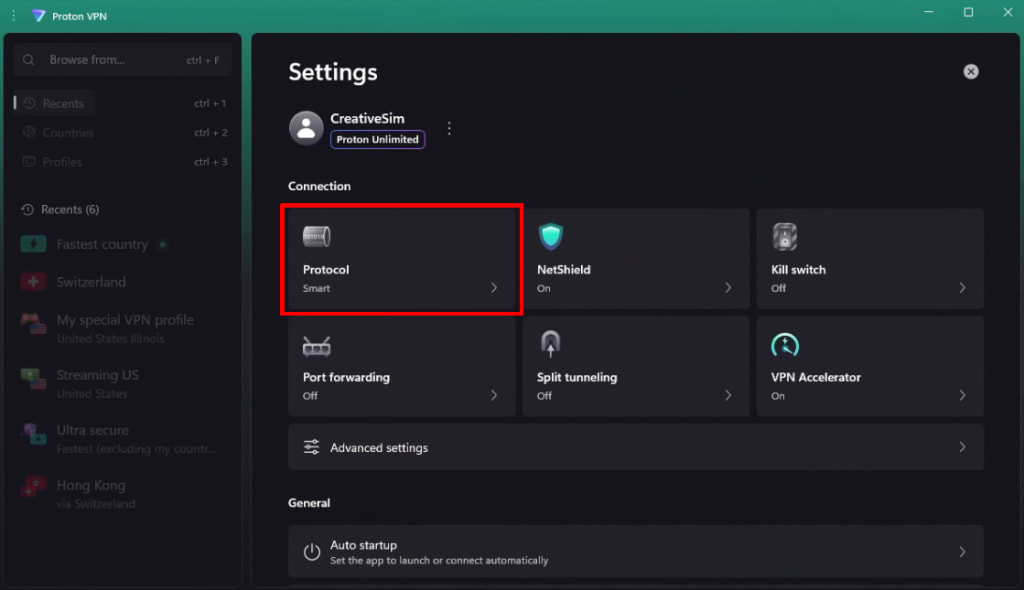
3. Select a protocol from the list. To help test run our new Proton Protocols (beta) VPN architecture, toggle the Proton Protocols switch on.
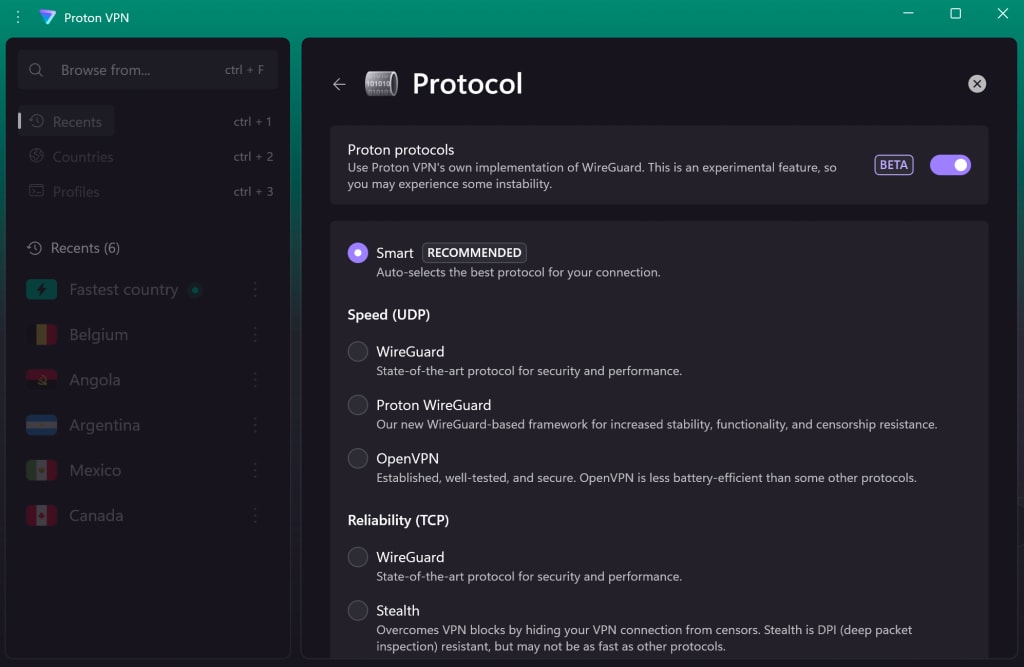
macOS
在 macOS 上,您必须先安装网络扩展程序才能更改协议。如何安装 macOS 网络扩展程序
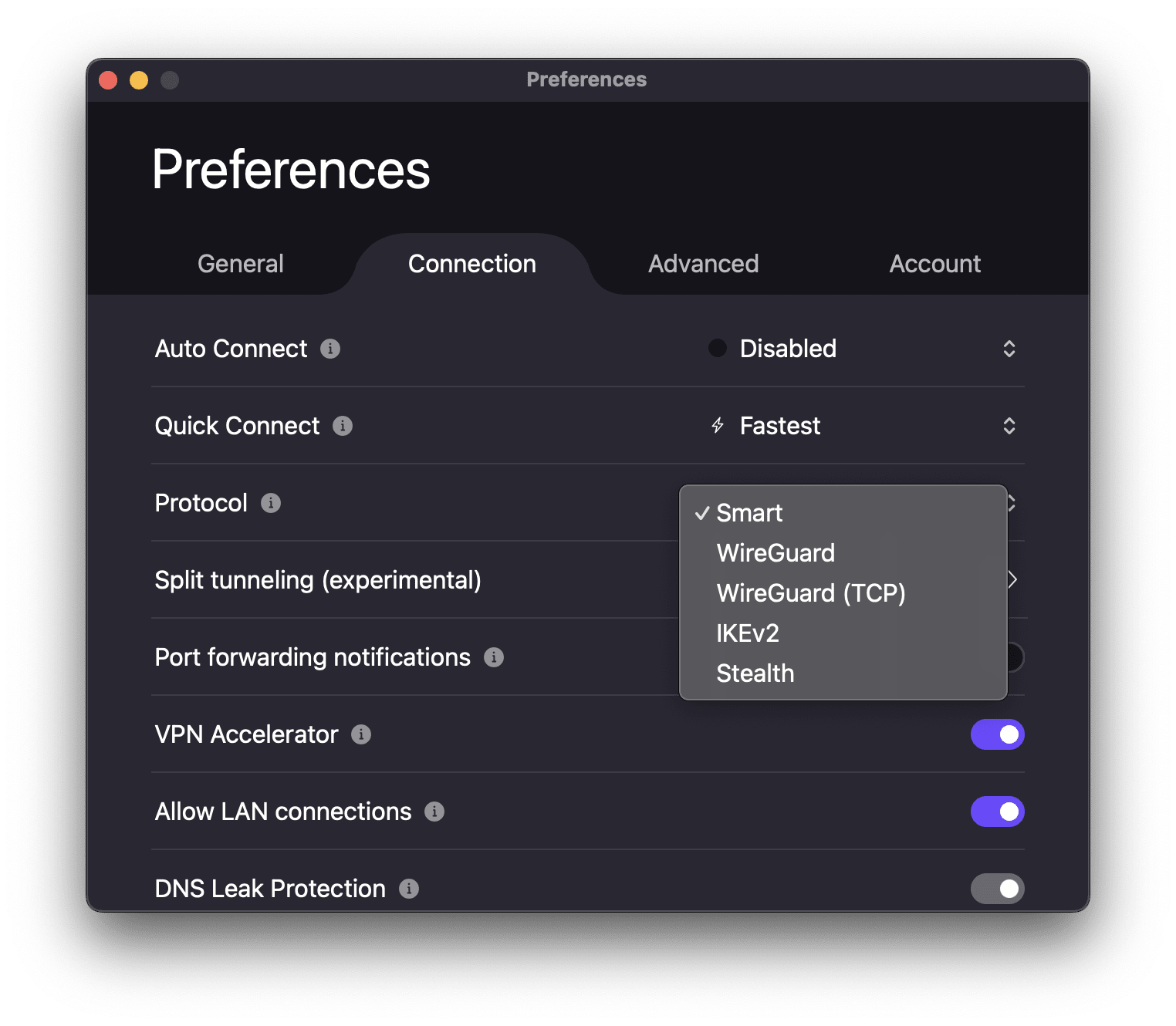
1. 打开 Proton VPN。前往 macOS 菜单栏,选择 ProtonVPN → 设置。

2. 选择连接标签页,然后滚动到协议。
3. 从菜单中选择一个协议。
Android
1. 打开 Proton VPN,然后前往设置。
2. 滚动到连接,然后轻点协议。
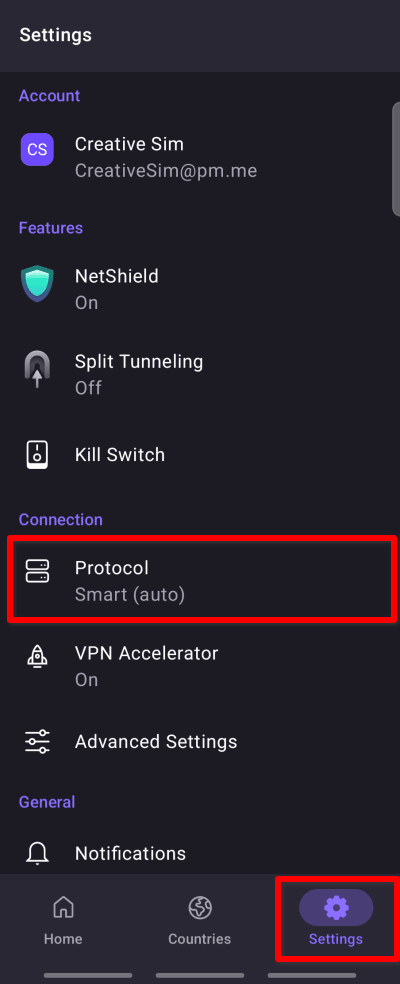
3. Select a protocol from the list. To help test run our new Proton Protocols (beta) VPN architecture, toggle the Proton Protocols switch on.

Android TV
1. 打开 Proton VPN,然后前往设置 → 协议。
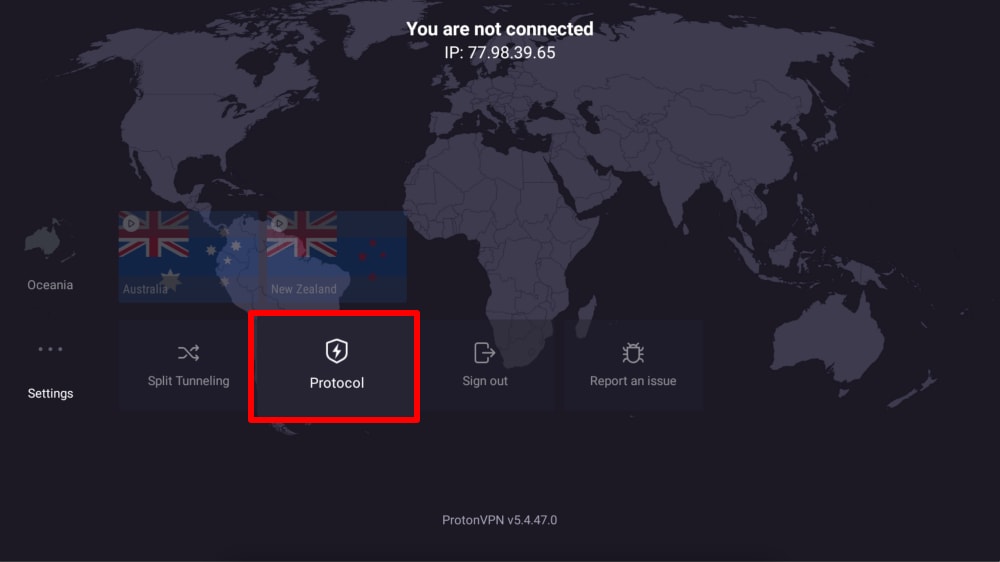
2. 从列表中选择一个协议。

iOS 和 iPadOS
1. 打开 Proton VPN,然后前往设置。
2. 轻点协议(位于安全选项下方)。
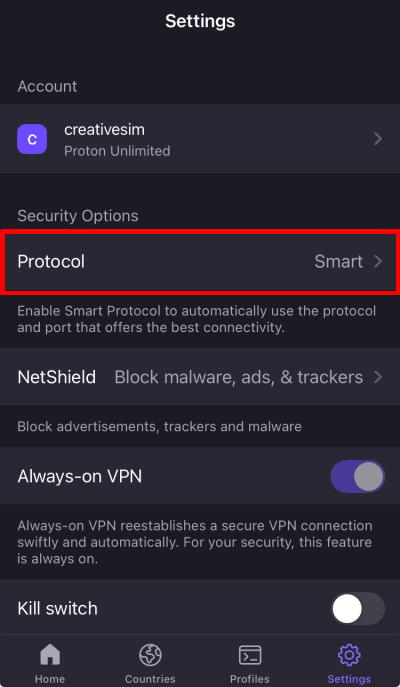
3. 从菜单中选择一个协议。
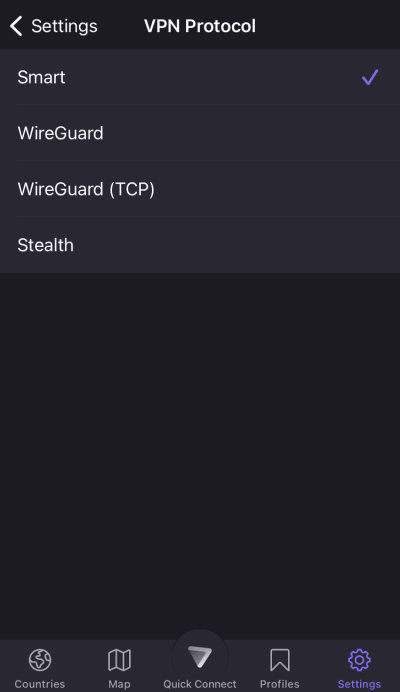
Note: If you’re using the early access (beta) version of the iOS or iPadOS app, you’re already automatically helping test-run our new Proton Protocols (beta) VPN architecture.
Linux GUI 应用
1. 打开 Proton VPN,然后前往设置。

2. 滚动到连接,然后前往协议。
3. Select a protocol from the list. To help test run our new Proton Protocols (beta) VPN architecture, toggle the Proton Protocols switch on.
Note that Smart Protocol and Stealth are only available if you’ve enabled Proton Protocols.

每个 Proton 应用支持哪些协议?
Smart Protocol
自动为您的连接选择最佳协议。
- Available on Windows, macOS, Android, iOS and iPadOS. Also available on the Linux GUI app if Proton Protocols (beta) is enabled.
Stealth
此协议为 Proton VPN 独有,旨在通过隐藏 VPN 连接来绕过互联网封锁。
- Available on Windows, macOS, Android, iOS and iPadOS, Android TV. Also available on the Linux GUI app if Proton Protocols (beta) is enabled.
WireGuard
一种快速、现代且安全的协议,耗电量更低。
- WireGuard UDP:适用于 Windows、macOS、Android、iOS 和 iPadOS、Android TV、Linux。
- WireGuard TCP:适用于 Windows、macOS、Android、iOS 和 iPadOS、Android TV。
OpenVPN
一种成熟且安全的协议,即使在网络连接不佳时也十分可靠。
- 仅适用于 Linux(GUI 应用)。
IKEv2
一种快速且安全的协议。
- 仅适用于 macOS。
Proton Protocols
We’re currently rolling out Proton Protocols, a new VPN architecture designed for improved stability and censorship resistance. Select Proton Protocols, then chose a supported VPN protocol to take advantage of this new architecture.