วิธีแก้ไขปัญหากับ Avast บน Windows
- เวลาอ่าน
- 0 นาที
- หมวดหมู่
- การเชื่อมต่อ
มีรายงานระบุว่าการใช้งานซอฟต์แวร์ Avast บนคอมพิวเตอร์ Windows อาจก่อให้เกิดปัญหากับ Proton VPN ส่งผลให้การเชื่อมต่อ WireGuard® (เท่านั้น) ไม่เสถียร หรือไม่สามารถเชื่อมต่อได้เลย เนื่องจากไฟร์วอลล์ของ Avast บล็อกการเชื่อมต่อไปยังเซิร์ฟเวอร์ Proton VPN
กำลังร่วมมือกับ Avast เพื่อหาทางแก้ไข แต่ในระหว่างนี้ ขั้นตอนต่อไปนี้อาจช่วยได้:
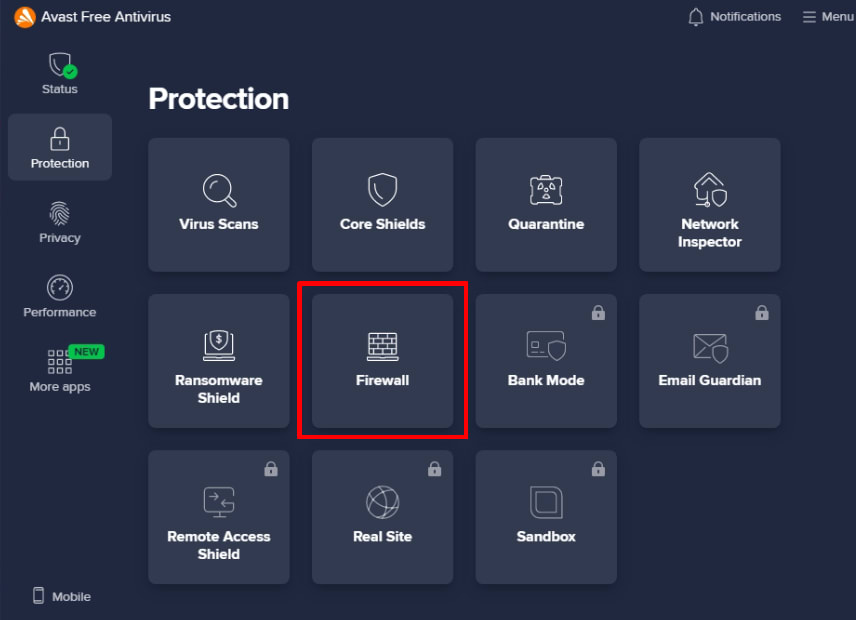
1. เปิด Avast แล้วไปที่ การป้องกัน → ไฟร์วอลล์
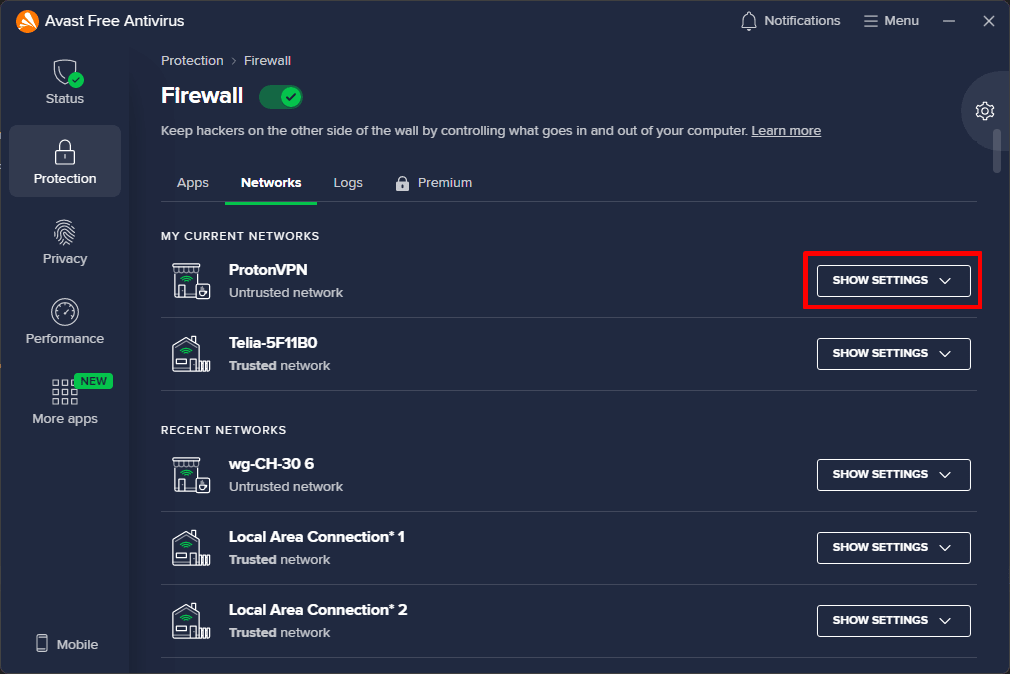
2. ไปที่แท็บ เครือข่าย → ProtonVPN → แสดงการตั้งค่า
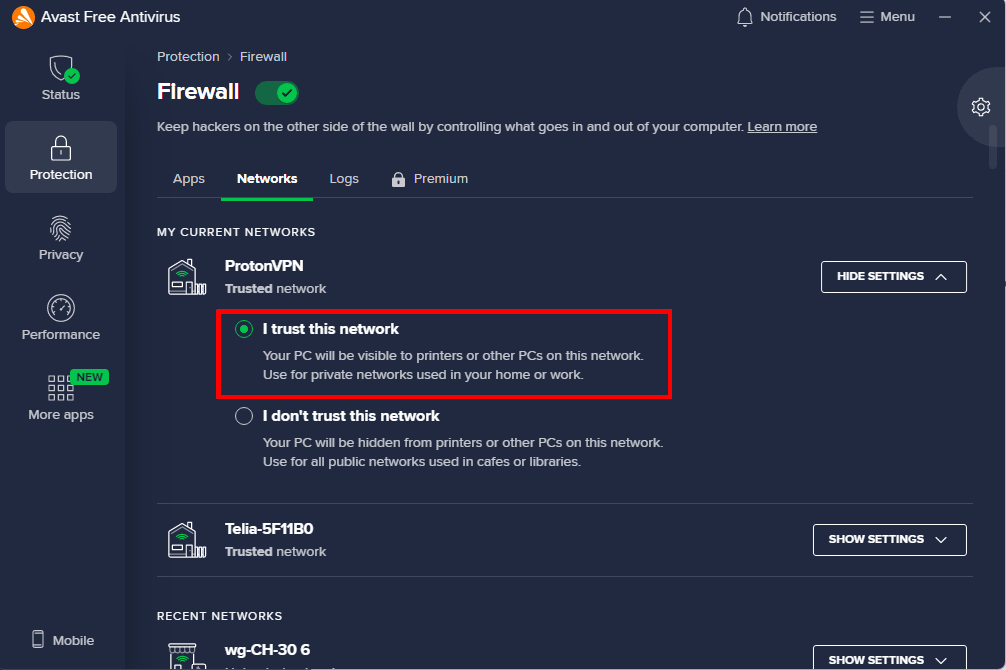
3. เลือก ฉันเชื่อถือเครือข่ายนี้ แล้วปิดแอป Avast เมื่อเสร็จสิ้น