


Credits and gift cards
Credits are digital vouchers that can be used toward a Proton subscription. You can add credits directly to your account or buy a gift card for someone else.
Credits
How to buy credits
1. Sign in to account.protonvpn.com and go to Subscription → Credits → Add credits.

2. Select how many credits you’d like to add, select a payment method (we accept credit and debit cards, PayPal, Bitcoin, and cash(new window)), and enter your payment details. Click Top up to confirm.
If you’ve had a paid subscription before, the currency for buying credits is set to match the currency you paid in.
If you’ve never had a paid subscription, you can select a currency. But please be aware that credits can only be applied to payments in the same currency.
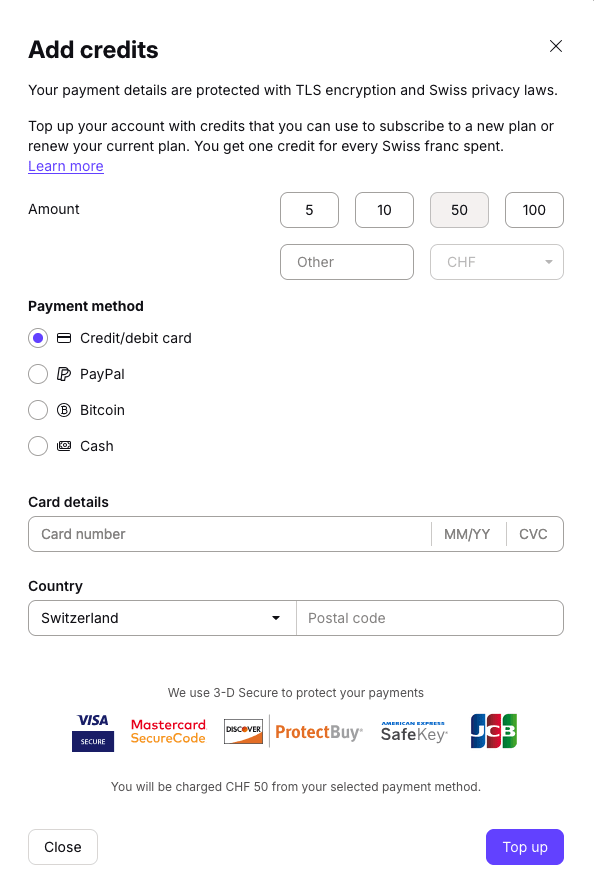
You’re all done. Your credits will automatically be applied to your next subscription payment. If you’d like to use credits to settle an unpaid invoice, you’ll need to apply your credits to the invoice manually.
You may also receive credits if you change your Proton plan
When you switch from one paid Proton subscription to another, we end your old plan and start a new one. To make sure you don’t pay twice, we turn any unused time on your old plan into credits which are automatically applied to the cost of your new plan. This is known as proration.
Here’s how we calculate the amount of credits you’ll get:
(cost of plan / total number of days in plan) x (number of days remaining)
Example: You’re subscribed to Proton Family – 1 month, and decide to switch to Proton Unlimited – 12 months.
If Proton Family – 1 month costs €29.99 /month and you have 28 days left on your current subscription, we’ll discount €28 (€29.99/30×28 = €28) from your new subscription payment.
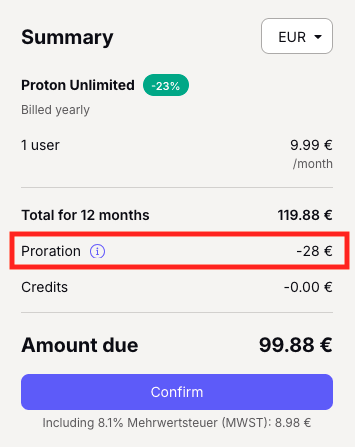
This only applies when you switch from one paid subscription to another. If you cancel your subscription entirely (i.e. switching to Proton Free), your plan will expire at the end of your current billing period and no credits will be issued.
Gift cards
Gift cards are digital vouchers. You can buy them for other people or add them to your own credit balance. Gift cards are available on the Proton Shop(new window).
How to buy gift cards
1. Visit the Proton Shop(new window) and select a Proton Gift Card.
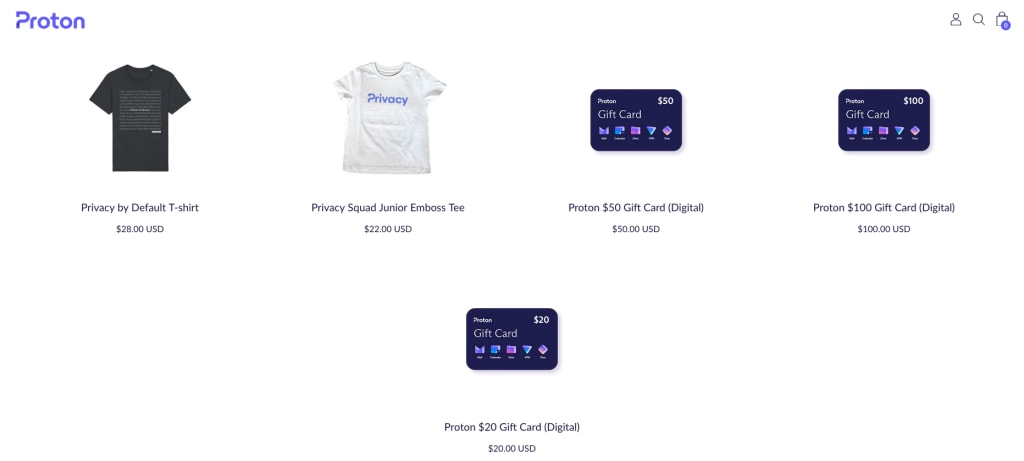
2. Select the Quantity of cards you’d like to purchase, then click Add to cart. Now select Check out to pay using any of our supported payment methods, or PayPal for quick checkout.

3. Select a payment method and fill in your payment details.

4. Once purchased, you’ll see your gift code on the order confirmation page after a few seconds. You’ll also receive an email from shop@orders.proton.me that includes a link to your codes.
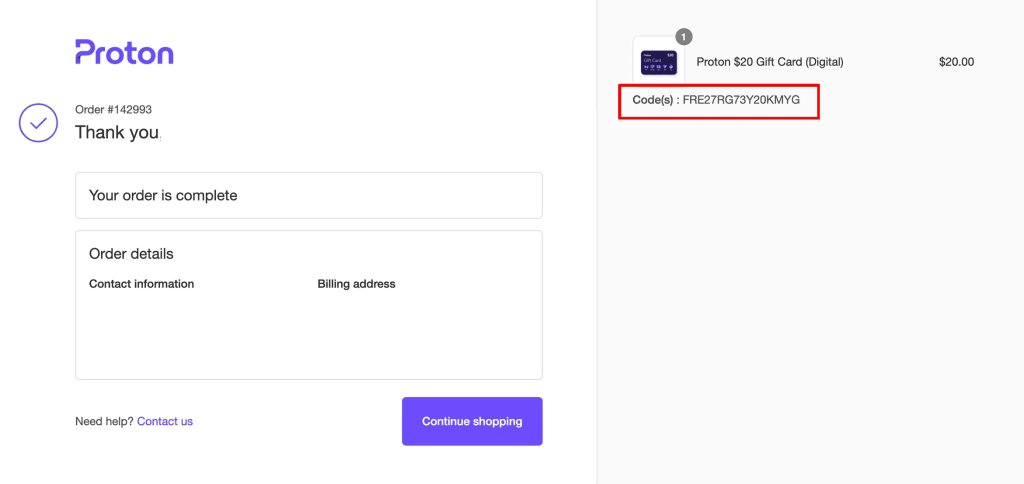
How to redeem a Proton gift card
There are two ways to use your gift card:
1. Top up your credit balance
This will convert the value of your gift card into Proton credits, which will be automatically applied to your next purchase or subscription payment.
To add your gift card to your credit balance sign in to account.protonvpn.com and go to Subscription → Gift code. Enter your gift code and click Submit.
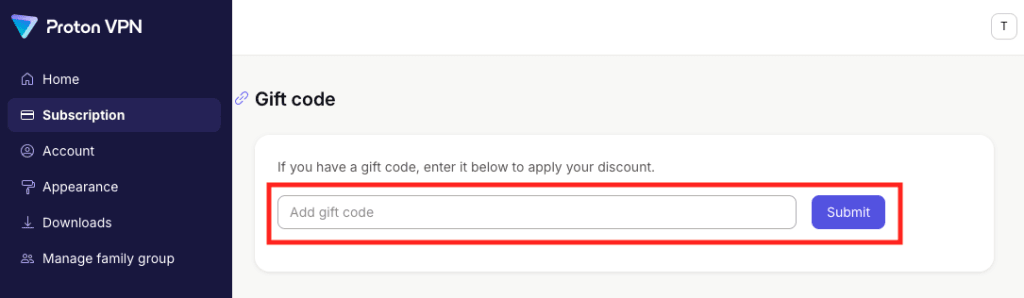
2. Apply directly to a purchase
You can also apply your gift code to a purchase. At checkout, click Add a gift code (you’ll see this under the Summary sidebar, below the Confirm button).
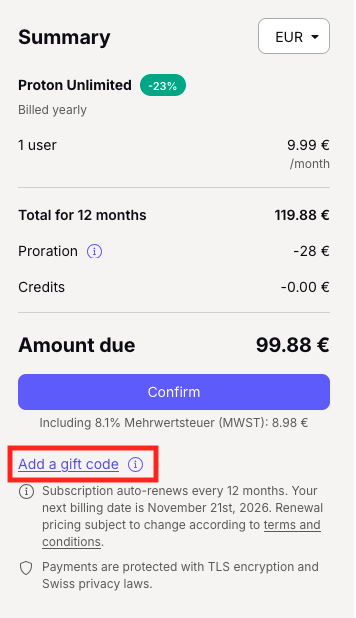
Enter your gift code and click Apply.
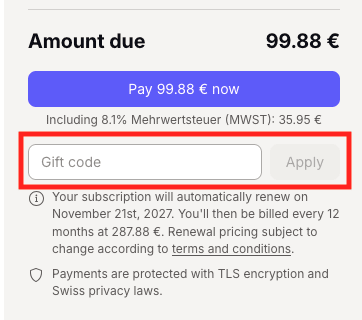
How to check your credit balance
To see your credits, sign in to account.protonvpn.com and go to Subscription → Credits → Available credits.
