


Como usar o Proton VPN no Linux
- Leitura
- 4 min
- Categoria
- Linux
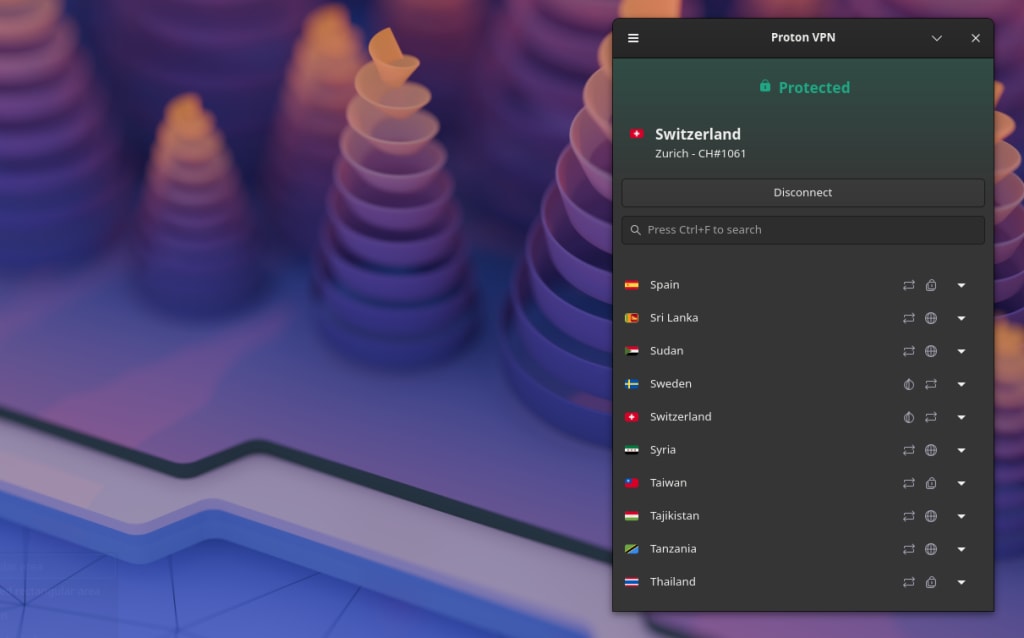
Existem duas formas oficiais de utilizar o Proton VPN em Linux:
Aplicação GUI do Proton VPN para Linux
A aplicação GUI oficial do Proton VPN para Linux (com uma interface gráfica do utilizador) permite-lhe proteger os seus dispositivos Linux com o Proton VPN enquanto controla a VPN através de uma interface gráfica intuitiva e fácil de utilizar.
Suportamos oficialmente as versões estáveis mais recentes das seguintes distribuições que utilizam o ambiente de trabalho GNOME. Clique numa ligação para obter instruções completas de configuração:
O Proton VPN está disponível no Arch Linux como um pacote(nova janela) mantido por um colaborador dedicado da comunidade. Estamos a trabalhar para fornecer suporte oficial ao Arch. Entretanto, o suporte poderá ser limitado.
Relatórios indicam que a nossa aplicação GUI de Linux funciona noutras distribuições e ambientes de trabalho, mas o suporte para outras distribuições e configurações poderá ser limitado.
Note que a aplicação GUI de Linux necessita do gnome-keyring(nova janela) (também poderá funcionar com o KWallet do KDE, mas isto não é suportado oficialmente). Para utilizar o túnel dividido (opcional), também é necessário o systemd-resolved(nova janela).
A nossa aplicação GUI oficial de Linux é a melhor forma de utilizar o Proton VPN no seu PC Linux. Suporta nativamente as funcionalidades avançadas do Proton VPN, incluindo:
- NetShield Ad-blocker
- Interruptor de segurança
- VPN Accelerator
- NAT moderado
- Encaminhamento de porta
- DNS personalizado
- Ligação automática no arranque
- IPv6
- Fixar servidores na área de notificação
Proton VPN CLI
A CLI do Proton VPN (utilitário de linha de comandos) é executada a partir do terminal do Linux. É suportada oficialmente nas versões estáveis mais recentes de:
- Debian
- Ubuntu
- Fedora
A CLI também está disponível no Arch Linux. O suporte oficial para o Arch está em curso.
- Arch
Poderá funcionar noutras distribuições Linux, mas o suporte para outras distribuições poderá ser limitado.
Saiba como instalar e utilizar a CLI de Linux do Proton VPN
Note que a CLI de Linux necessita do gnome-keyring(nova janela) (também poderá funcionar com o KWallet do KDE, mas isto não é suportado oficialmente) e do NetworkManager(nova janela).
Tenha também em atenção que a CLI não funciona atualmente em configurações sem interface gráfica.
Não sabe que distribuição está a utilizar?
Se não tiver a certeza de qual é a distribuição Linux que está a utilizar, abra uma janela do terminal e execute:
cat /etc/*release
No resultado, procure por:
- PRETTY_NAME: este é o nome da sua distribuição e o respetivo número de versão. O Proton VPN suporta ativamente as versões mais recentes do Debian, Ubuntu e Fedora.
- ID_LIKE: se a sua distribuição for uma derivação de outra, verá as distribuições “principais” listadas aqui. No exemplo abaixo, o KDE Neon baseia-se no Ubuntu, que por sua vez se baseia no Debian.
Se estiver a utilizar uma distribuição baseada numa das nossas distribuições suportadas oficialmente, há uma grande probabilidade de funcionar com poucos ou nenhuns problemas. No entanto, o suporte poderá ser limitado.

Outras formas de utilizar o Proton VPN no Linux
Sempre que possível, recomendamos vivamente a utilização da nossa aplicação GUI oficial de Linux ou da CLI de Linux. No entanto, existem determinadas situações em que poderá preferir utilizar uma aplicação de terceiros.
Pode configurar o OpenVPN ou o WireGuard® manualmente no Linux utilizando o NetworkManager ou a linha de comandos. Note que, se desativarmos um servidor, poderá ter de transferir novos ficheiros de configuração.
- Saiba como configurar manualmente o OpenVPN para o Proton VPN no Linux
- Saiba como configurar manualmente o WireGuard no Linux
Atualmente, não suportamos a instalação das nossas ferramentas oficiais através do Flatpak(nova janela) ou de outros meios. Os colaboradores da comunidade publicaram versões não oficiais que pode utilizar, mas fá-lo por sua conta e risco. Estas podem funcionar, mas não foram desenvolvidas por nós e não podemos fornecer suporte para as mesmas.