


วิธีรับชม Caracol Televisión ด้วย Proton VPN
- เวลาอ่าน
- 1 นาที
- หมวดหมู่
- คู่มือการสตรีม
Caracol Televisión เป็นเครือข่ายโทรทัศน์ออกอากาศฟรีของโคลอมเบียที่ผลิตละครโทรทัศน์ รายการข่าว และการถ่ายทอดสดกีฬา รวมถึงรายการฟุตบอลโลกและฟุตบอล

เช่นเดียวกับบริการทีวีดิจิทัลภาคพื้นดิน ทุกคนในโคลอมเบียสามารถสตรีม Caracol ได้ฟรีผ่านเว็บไซต์และแอป ditu ในคู่มือนี้ จะมาแนะนำวิธีรับชม Caracol Televisión ด้วย Proton VPN บน:
นอกจากนี้ยังสามารถใช้ Proton VPN เพื่อปลดบล็อกบริการการสตรีมยอดนิยมอื่นๆ รวมถึง Disney+, Amazon Prime Video, Paramount+ และ (HBO) Max ได้อีกด้วย
ไปที่ ศูนย์กลางการสตรีม เพื่อค้นหาบริการทั้งหมดที่รองรับ
ในการใช้บริการการสตรีมผ่าน Proton VPN จำเป็นต้องใช้แผนแบบชำระเงินของ Proton VPN หากมีแผน Proton VPN Free อยู่แล้ว สามารถ อัปเกรดบัญชี ได้โดยการเข้าสู่ระบบและเลือก Plus (หรือแผนแบบชำระเงินอื่น) จากหน้าหลักของระบบบัญชี
หากไม่มีบัญชี Proton VPN สามารถลงทะเบียนสำหรับแผน Plus หรือ Unlimited ได้
วิธีรับชม Caracol Televisión ด้วย Proton VPN จากเบราว์เซอร์
1. หากยังไม่ได้ดำเนินการ โปรดดาวน์โหลดและติดตั้ง Proton VPN สำหรับอุปกรณ์
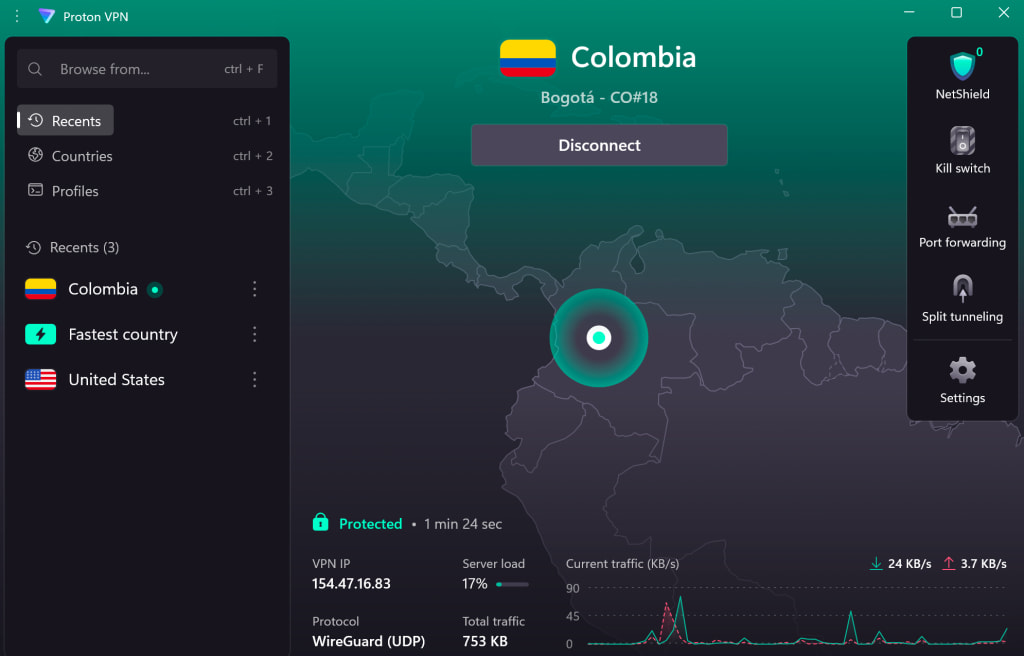
2. เข้าสู่ระบบ Proton VPN และเชื่อมต่อกับเซิร์ฟเวอร์ VPN ของโคลอมเบียเครื่องใดก็ได้
3. ไปที่เว็บไซต์ Caracol Televisión(หน้าต่างใหม่)
4. จากนั้นสามารถเริ่มรับชมข่าว รายการทีวีสด ภาพยนตร์ และกีฬาที่เป็นรายการโปรดได้อย่างปลอดภัยและมั่นคง
วิธีรับชม Caracol Televisión ด้วย Proton VPN บนอุปกรณ์เคลื่อนที่
Caracol Televisión สามารถรับชมได้ผ่านแอป ditu สำหรับ Android, iOS และ iPadOS แต่อาจต้องดาวน์โหลดไว้ก่อนเดินทางออกจากโคลอมเบีย
1. หากยังไม่ได้ดำเนินการ จำเป็นต้องดาวน์โหลดและติดตั้ง Proton VPN สำหรับอุปกรณ์
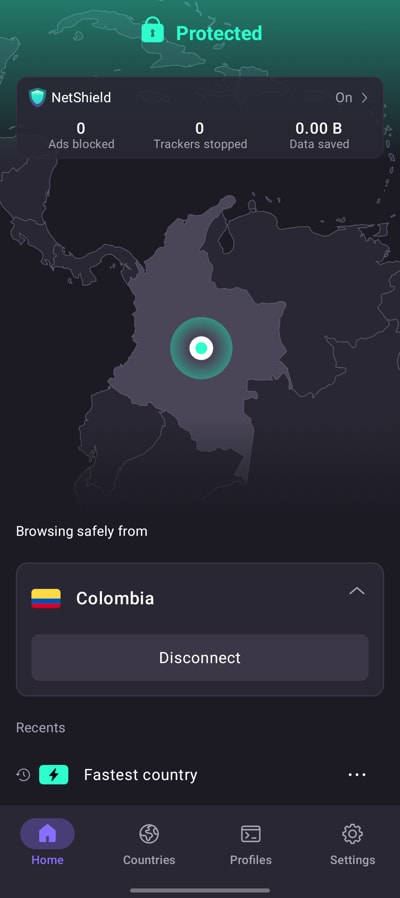
2. เข้าสู่ระบบ Proton VPN และเชื่อมต่อกับเซิร์ฟเวอร์ VPN ของโคลอมเบียเครื่องใดก็ได้
3. ดาวน์โหลดแอป ditu
4. จากนั้นสามารถเริ่มรับชมข่าว รายการทีวีสด ภาพยนตร์ และกีฬาที่เป็นรายการโปรดได้อย่างปลอดภัยและมั่นคง
วิธีรับชม Caracol Televisión ด้วย Proton VPN บนสมาร์ททีวี
แอป ditu มีให้บริการสำหรับ Android TV และ Amazon Fire TV (“firestick”) แต่ปัจจุบันยังไม่มีให้บริการสำหรับ Apple TV โดยอาจจำเป็นต้องดาวน์โหลดไว้ก่อนเดินทางออกจากโคลอมเบีย
1. ดาวน์โหลด Proton VPN สำหรับ:
2. เข้าสู่ระบบ Proton VPN และเชื่อมต่อกับเซิร์ฟเวอร์ VPN ของโคลอมเบียเครื่องใดก็ได้
3. เปิดแอป ditu
4. จากนั้นสามารถเริ่มรับชมข่าว รายการทีวีสด ภาพยนตร์ และกีฬาที่เป็นรายการโปรดได้อย่างปลอดภัยและมั่นคง
การแก้ไขปัญหาการสตรีม Caracol Televisión
หาก Caracol Televisión ไม่ทำงานหลังจากทำตามขั้นตอนข้างต้น ให้ลองใช้วิธีแก้ไขปัญหาต่อไปนี้:
- เริ่มแอป Proton VPN ใหม่และเริ่มการเชื่อมต่อ VPN ใหม่
- หากเข้าถึง Caracol Televisión ผ่านเบราว์เซอร์ ให้ลองล้างแคชของเบราว์เซอร์
- เริ่มอุปกรณ์ใหม่
- ล้างแคช DNS (Windows, Mac หรือ Linux)
หากไม่มีตัวเลือกใดได้ผล โปรดดูคู่มือการแก้ไขปัญหาการสตรีม หรือติดต่อทีมฝ่ายสนับสนุน