


Как использовать Proton VPN в Linux
- Чтение
- 1 мин.
- Категория
- Linux
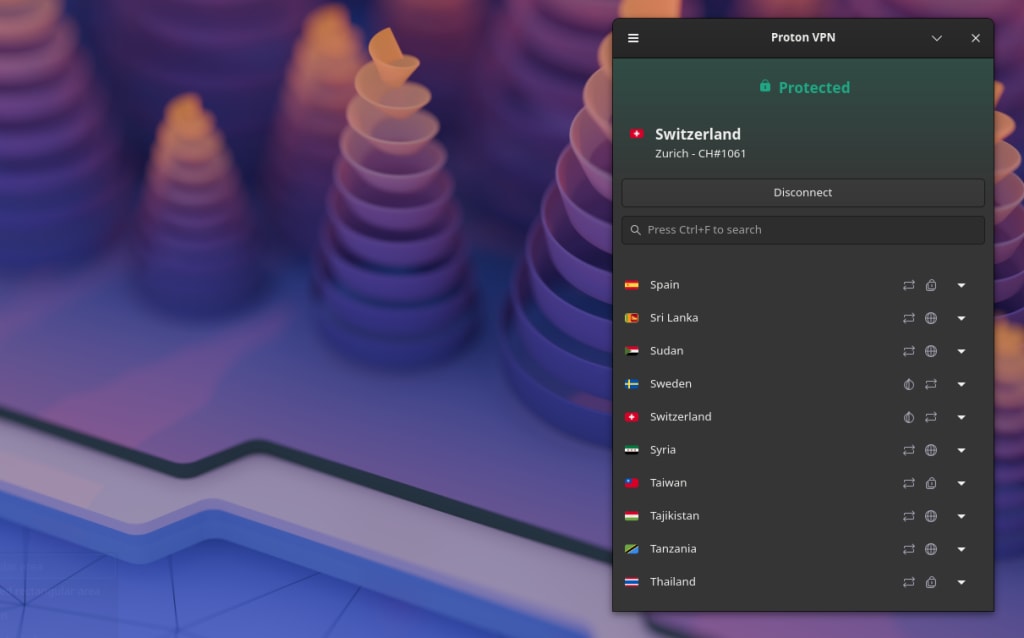
Существует два официальных способа использовать Proton VPN в Linux:
Графическое приложение Proton VPN для Linux
Официальное графическое приложение Proton VPN для Linux (с графическим интерфейсом пользователя) позволяет защитить ваши устройства Linux с помощью Proton VPN, управляя VPN через интуитивно понятный и простой в использовании графический интерфейс.
Мы официально поддерживаем последние стабильные версии следующих дистрибутивов с графической оболочкой GNOME. Нажмите на ссылку, чтобы получить полные инструкции по настройке:
Proton VPN доступен в Arch Linux в виде пакета(новое окно), который поддерживается активным участником сообщества. Мы работаем над обеспечением официальной поддержки Arch. В то же время поддержка может быть ограничена.
По отзывам пользователей, наше графическое приложение для Linux работает и в других дистрибутивах и графических оболочках, но поддержка других дистрибутивов и конфигураций может быть ограничена.
Обратите внимание, что для работы графического приложения для Linux требуется gnome-keyring(новое окно) (оно также может работать с KWallet от KDE, но это официально не поддерживается). Для использования раздельного туннелирования (необязательно) также требуется systemd-resolved(новое окно).
Наше официальное графическое приложение для Linux — это лучший способ использовать Proton VPN на вашем ПК с Linux. Оно изначально поддерживает продвинутые функции Proton VPN, включая:
- NetShield Ad-blocker
- Kill Switch
- VPN Accelerator
- Умеренный NAT
- Переадресация портов
- Пользовательская DNS
- Автоподключение при запуске
- IPv6
- Закрепление серверов в трее
Proton VPN CLI
Proton VPN CLI (утилита командной строки) запускается из терминала Linux. Она официально поддерживается в последних стабильных версиях следующих систем:
- Debian
- Ubuntu
- Fedora
CLI также доступен в Arch Linux. Работа над официальной поддержкой Arch уже ведется.
- Arch
Она может работать и в других дистрибутивах Linux, но их поддержка может быть ограничена.
Узнайте, как установить и использовать Proton VPN Linux CLI
Обратите внимание, что для работы Linux CLI требуются gnome-keyring(новое окно) (он также может работать с KWallet от KDE, но это официально не поддерживается) и NetworkManager(новое окно).
Также обратите внимание, что в настоящее время CLI не работает в конфигурациях без графического интерфейса (headless).
Не знаете, какой дистрибутив у вас установлен?
Если вы не уверены, какой дистрибутив Linux используете, откройте окно терминала и выполните команду:
cat /etc/*release
В выводе команды найдите следующие строки:
- PRETTY_NAME: это название вашего дистрибутива и номер его версии. Proton VPN активно поддерживает последние версии Debian, Ubuntu и Fedora.
- ID_LIKE: если ваш дистрибутив является производным от другого дистрибутива, здесь будут перечислены его «родительские» дистрибутивы. В примере ниже система KDE Neon основана на Ubuntu, которая, в свою очередь, основана на Debian.
Если вы используете дистрибутив, основанный на одном из официально поддерживаемых нами дистрибутивов, весьма вероятно, что он будет работать без каких-либо проблем или с минимальными неполадками. Однако поддержка может быть ограничена.

Другие способы использования Proton VPN в Linux
По возможности мы настоятельно рекомендуем использовать наше официальное графическое приложение или CLI-клиент для Linux. Однако в некоторых ситуациях вместо них вы можете использовать стороннее приложение.
Вы можете настроить OpenVPN или WireGuard® вручную в Linux с помощью NetworkManager или командной строки. Обратите внимание, что если мы выведем сервер из эксплуатации, вам может потребоваться загрузить новые файлы конфигурации.
- Узнайте, как вручную настроить OpenVPN для Proton VPN в Linux
- Узнайте, как вручную настроить WireGuard в Linux
В настоящее время мы не поддерживаем установку наших официальных инструментов через Flatpak(новое окно) или из других источников. Участники сообщества опубликовали неофициальные версии, которые вы можете использовать на свой страх и риск. Они могут работать, но они разработаны не нами, и мы не можем предоставить для них поддержку.