How to change the location of a dedicated server
- Lezen
- 4 min
- Categorie
- Proton VPN for Business
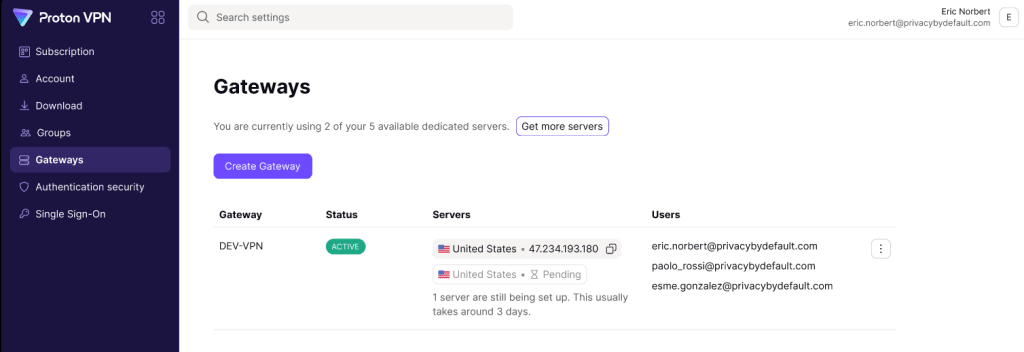
With a Proton VPN Professional or Proton Workspace plan, you can add Gateways and assign dedicated servers to them. To change the location of a dedicated server you have previously set up, you must:
- Delete the existing server
- Wait ten days
- Assign the deleted server to a new location
In this support article, we’ll take you through the process.
During the cooling-down period you can’t use the dedicated server, which is one reason we recommend leasing at last two dedicated servers. However, if you change your mind before the 10-day period is up, you can instantly restore the deleted server at the old location, with no further waiting required.
Step one: Delete a server
- Go to account.protonvpn.com and sign in using your Proton for Business username and password.
- Go to Gateways → the Gateway you’d like to edit → ⋮ → Edit servers.

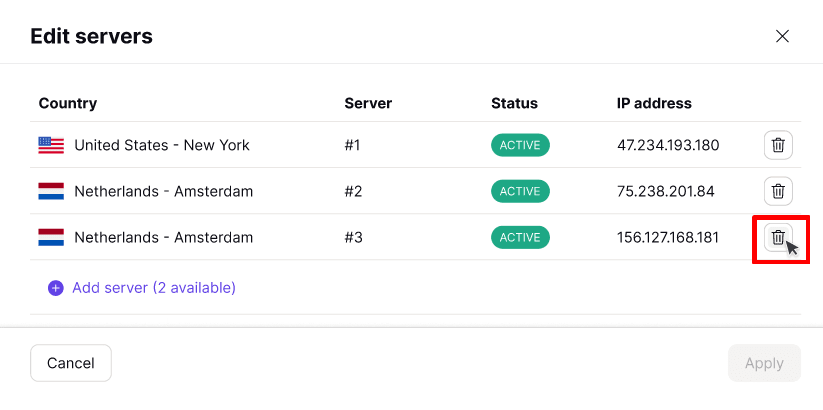
- Select the Trash icon next to server you’d like to change location for.
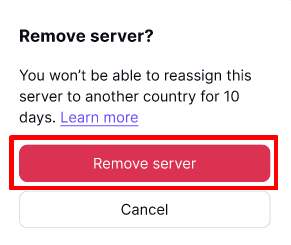
- Select Remove server to confirm that you’d like to delete this server.
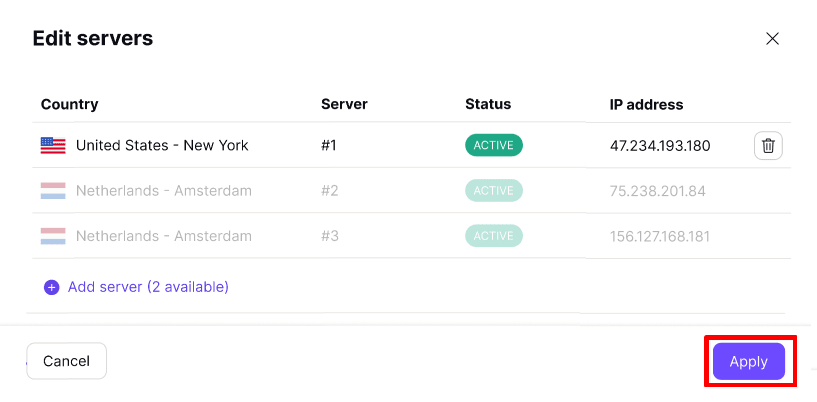
- Once you’ve deleted all the servers you wish, select Apply.
Step two: Wait 10 days
You must wait 10 days before you can assign a deleted server to a new location. To see how much time is left before you can add a deleted server to a new location, go to Gateways → the Gateway you’d like to add the server to → ⋮ → Edit servers → Select recently used servers.

Each deleted server will show a countdown of the time left until you can re-assign it to a new location.
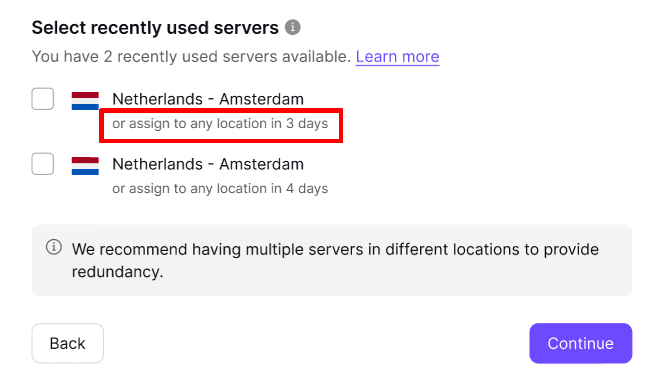
You can assign a deleted server back to its old location at any time (no need to wait for ten days).
Step three: Assign the deleted server to a new location
After 10 days, you can assign deleted servers to any of the server locations we support. To do this:
- Go to Gateways → the Gateway you’d like to add the server to → ⋮ → Edit servers → Add server.

- Select the location you’d like to assign the server to, and click Continue when you’re ready.

- Review your selection and click Apply.
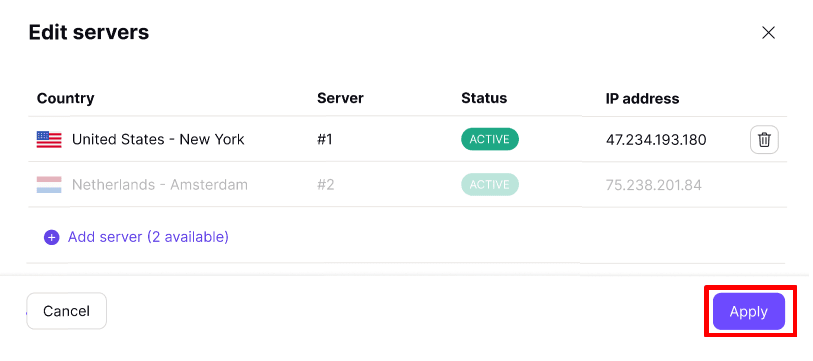
Your new server location will now be set up. This usually takes around three days.