


Как пользоваться Proton VPN на Android
- Чтение
- 1 мин.
- Категория
- Приложения Proton VPN
Приложение Proton VPN для Android 8.0 и более поздних версий поможет вам обходить цензуру и сохранять конфиденциальность в Интернете. Одним касанием вы можете подключиться к тысячам VPN-серверов по всему миру и просматривать заблокированные сайты и контент, скрывая при этом свой IP-адрес.
Узнайте, зачем вам нужен VPN на телефоне Android
В этой статье
- Как установить Proton VPN на Android
- Как пользоваться Proton VPN на Android
- Войти или использовать гостевой режим
- Подключиться к VPN
- Сменить сервер (Proton Free)
- Подключиться к конкретному местоположению (платная подписка)
- Сохраненные подключения (недавние, закрепленные, профили)
- How to disconnect from Proton VPN
- Настройки Proton VPN
- Виджет Proton VPN для Android
- Настроить OpenVPN и WireGuard вручную
Вы также можете использовать наше приложение для Android, чтобы защитить свой Chromebook.
Как установить Proton VPN на Android
1. В браузере нажмите на ссылку на Play Маркет ниже.

Это откроет страницу загрузки Proton VPN в приложении Play Маркет. Кроме того, вы можете запустить приложение Play Маркет и найти Proton VPN вручную.
2. Установите приложение.
Как пользоваться Proton VPN на Android
После установки Proton VPN на Android вам потребуется войти в аккаунт и подключиться к VPN-серверу, чтобы защитить свою работу в Интернете.
Как пользоваться Proton VPN на Android
Войти или использовать гостевой режим
С бесплатным аккаунтом Proton VPN вы получите доступ ко всем бесплатным сервисам экосистемы Proton, включая Proton VPN, Proton Mail(новое окно), Proton Drive(новое окно), Proton Pass(новое окно), Proton Wallet(новое окно) и Proton Calendar(новое окно).
Чтобы получить доступ к более чем 15 000 серверов в более чем 120 странах, безопасно смотреть контент на различных популярных сервисах, конфиденциально скачивать торренты или использовать такие дополнительные функции, как двойной VPN Secure Core, блокировщик рекламы NetShield или раздельное туннелирование, вам понадобится платный аккаунт Proton VPN.
Есть два способа использовать приложение Proton VPN для Android:
Вариант 1. Войдите с помощью своего аккаунта Proton
Откройте приложение Proton VPN и нажмите Войти.
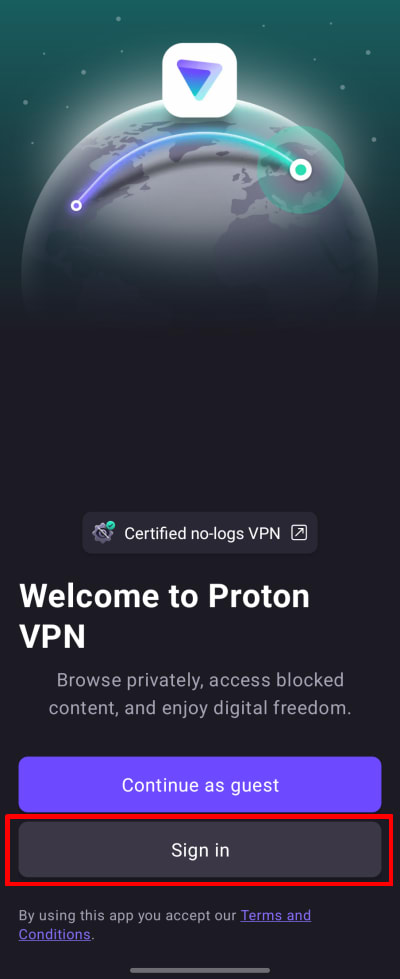
Если вы еще не создали аккаунт Proton VPN, нажмите кнопку Создать аккаунт или нажмите здесь. Обратите внимание: если вы уже зарегистрированы в любом другом сервисе Proton (например, Proton Mail или Proton Drive), вы можете использовать те же имя пользователя и пароль для входа в Proton VPN.
Введите имя пользователя и пароль от своего аккаунта Proton, затем нажмите Войти.
Вариант 2. Гостевой режим
При желании вы можете использовать приложение без аккаунта Proton. Просто нажмите Продолжить как гость. Это позволит вам получить доступ ко всем бесплатным функциям в приложении. Чтобы получить доступ к платным функциям, вам потребуется войти под платным аккаунтом Proton VPN.

Подключиться к самой быстрой стране, доступной по вашему тарифу
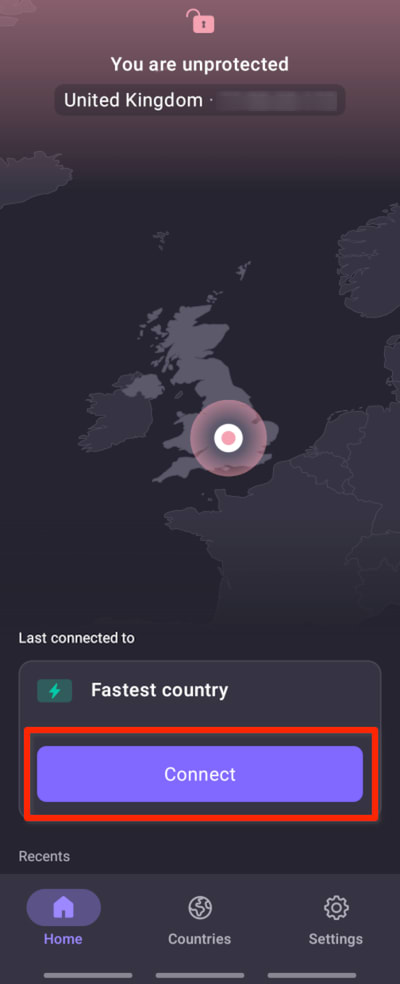
Если вы используете тариф Free plan, выберите Самая быстая страна → Подключить, чтобы автоматически подключиться к самому быстрому серверу для вашего местоположения. Бесплатные серверы расположены в Нидерландах, Японии, Румынии, Польше, Норвегии, Швейцарии, Сингапуре, Мексике, Канаде и США.
Если вы используете платный тариф, выберите Самая быстрая страна → Подключить, чтобы автоматически подключиться к самому быстрому серверу для вашего местоположения. Наши серверы Plus расположены в более чем 120 странах мира (вы также можете выбрать вариант Самая быстрая страна на вкладке Страны — см. ниже).
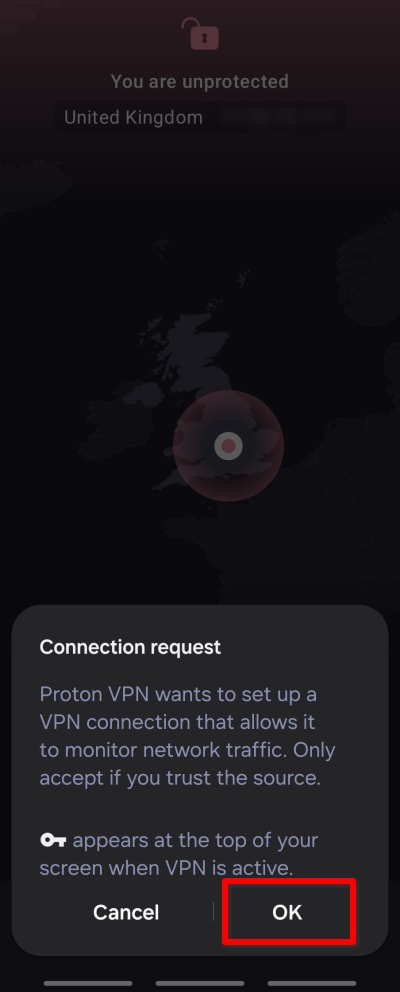
При первом подключении к Proton VPN вам будет предложено подтвердить запрос на VPN-подключение. Нажмите ОК, чтобы продолжить. Если вместо этого вы увидите экран с заголовком Действия, необходимые для подключения к VPN, пожалуйста, ознакомьтесь с этим руководством.
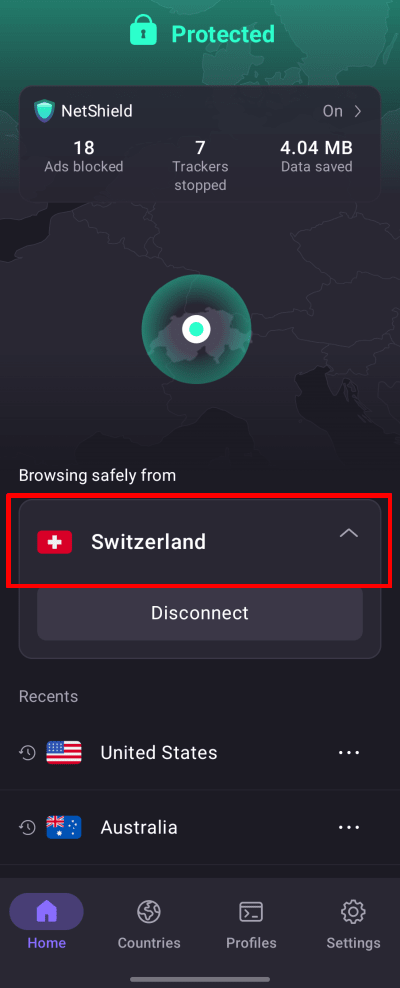
После подключения экран Главная станет зеленым, и на нем отобразится местоположение сервера, к которому вы подключены, а также статистика блокировщика рекламы NetShield за этот сеанс (на платных тарифах и при условии, что включена функция Блокировать вредоносные программы, рекламу и трекеры).
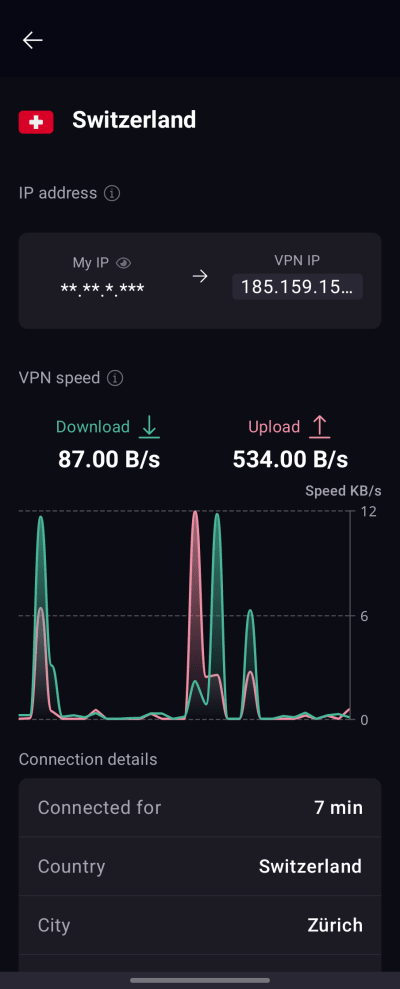
Чтобы просмотреть подробную информацию о сервере, к которому вы подключены, нажмите на активное подключение на главном экране.
Вы можете просматривать информацию о подключении, например время подключения, IP-адрес VPN-сервера, нагрузку на сервер, используемый протокол VPN и многое другое.
Сменить сервер (если вы используете тариф Free plan)
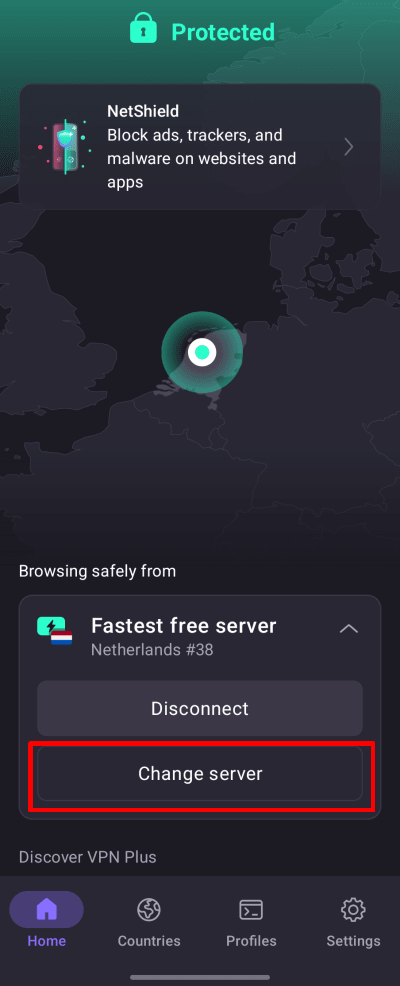
После подключения к случайному бесплатному серверу вы сможете сменить его на сервер в другой случайной стране по истечении короткого периода ожидания. Для этого просто выберите Сменить сервер на экране Главная.
Подключиться к конкретному местоположению (только для платных тарифов Proton VPN)
Если вы используете любой платный тариф Proton VPN, вы можете подключиться к любому из наших высокоскоростных серверов в более чем 120 странах. Чтобы подключиться к самому быстрому серверу в выбранной вами стране, откройте вкладку Страны и нажмите на страну.

Чтобы подключиться к конкретному городу или штату в стране, коснитесь … рядом со страной и выберите город или штат.

Чтобы подключиться к конкретному серверу в городе или штате, коснитесь … рядом с городом или штатом и выберите сервер.

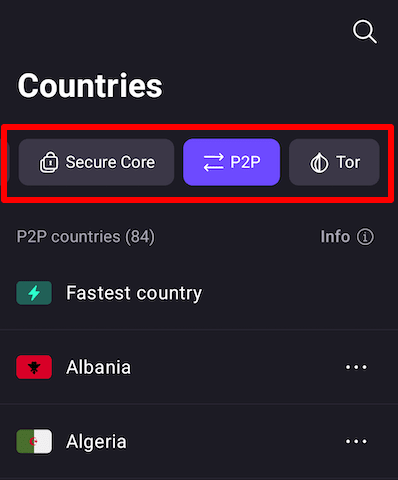
Чтобы подключиться к одному из наших специальных серверов Secure Core, P2P или Tor, коснитесь соответствующей вкладки и выберите сервер из списка.
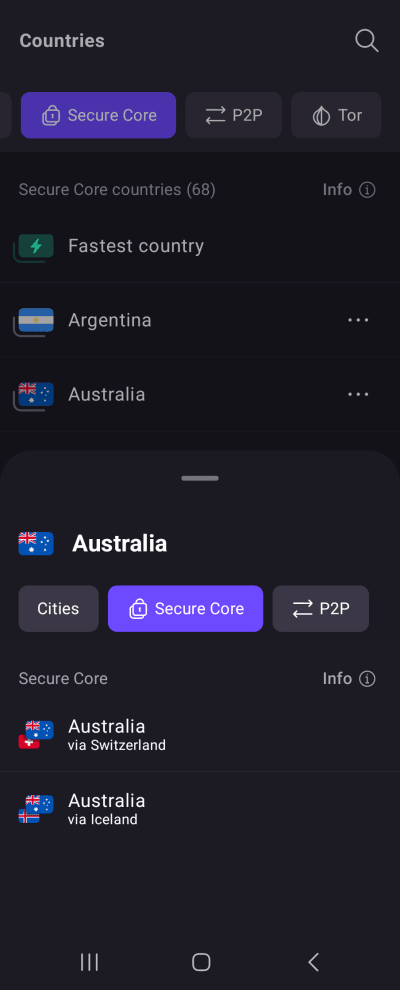
Чтобы использовать нашу функцию двойного VPN Secure Core, коснитесь вкладки Secure Core и выберите выходную страну (страну, из которой вы будете выходить в интернет). Теперь вы можете выбрать местоположение сервера Secure Core, через которое хотите направить подключение.
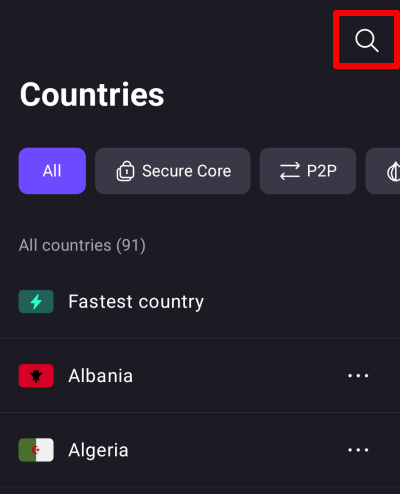
Вы также можете найти любую страну, город, штат или сервер, коснувшись значка поиска (лупы) и введя его название в поле поиска.
Недавние и закрепленные страны, города и серверы
В нижней части главного экрана вы можете увидеть список стран, к которым недавно подключались. Просто коснитесь одной из них, чтобы подключиться к тому же серверу, что и раньше (например, если ранее вы использовали Secure Core для подключения к выходному серверу в Австралии через Швейцарию, касание этого элемента в этот раз настроит аналогичное подключение Secure Core).
Чтобы закрепить элемент в списке Недавние, коснитесь значка ⋯ рядом с местоположением или профилем → Закрепить.

Теперь приложение Proton VPN будет показывать закрепленный элемент вверху списка Недавние со значком булавки рядом с ним.

Профили
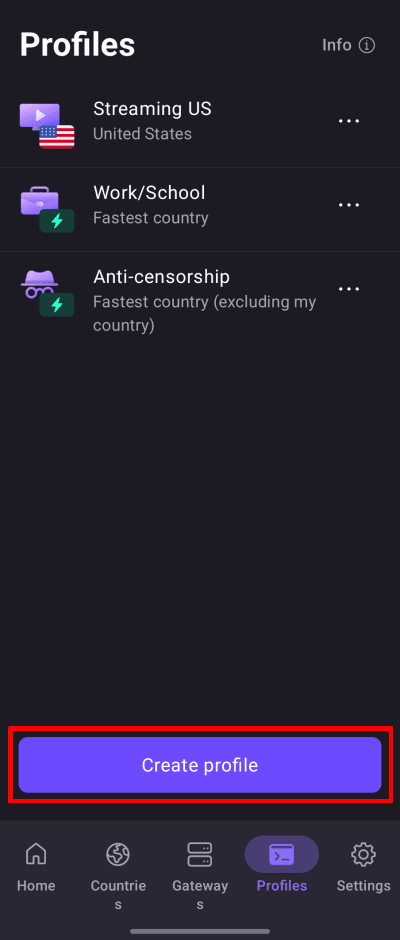
Вы можете создать профиль VPN-подключения для еще более гибкого управления часто используемыми подключениями. Перейдите на вкладку Профили, чтобы просмотреть уже созданные профили (мы также заранее подготовили несколько популярных сценариев использования), или коснитесь кнопки Создать профиль, чтобы создать новый.
Подробнее о создании и использовании профилей VPN-подключения
Миссия Proton VPN — сделать конфиденциальность стандартом по умолчанию для всех, поэтому мы всегда будем предлагать 100% бесплатный сервис для тех, кто в нем больше всего нуждается. Однако для доступа ко многим дополнительным функциям вам понадобится платный тариф Proton VPN. Функции и настройки, для которых требуется платный тариф Proton VPN, четко отмечены значком Proton+. Чтобы получить доступ к этим функциям и поддержать нашу миссию, пожалуйста, рассмотрите возможность перехода на платный тариф Proton VPN.

How to disconnect from Proton VPN
You can easily disconnect from a Proton VPN server through the Proton VPN application:
- Open the Proton VPN app on your Android device.
- On the Home screen, tap the Disconnect button.
- Your VPN connection will be terminated, and your device will revert to its regular internet connection.

Note: Disconnecting removes your VPN protection. Your real IP address and internet traffic will be visible to your internet service provider and websites you visit until you reconnect.
Настройки Proton VPN
Коснитесь вкладки Настройки (значок шестеренки), чтобы получить доступ к расширенным настройкам и функциям приложения Proton VPN для Android.

Функции
Подключение
- Подключение по умолчанию — это подключение будет использоваться, когда вы коснетесь кнопки «Подключить». Выберите вариант Самая быстрая страна, Последнее подключение или любое подключение из списка Недавние (включая профиль)
- Протокол
- VPN Accelerator
- Расширенные настройки (см. ниже)
Общие
- Уведомления — открывает настройки уведомлений Android для приложения Proton VPN
- Значок приложения — замаскируйте Proton VPN на вашем устройстве с помощью неприметного значка
- Виджеты
Поддержка
- Справочный центр (открывает страницы поддержки Proton VPN в вашем браузере)
- Сообщить о проблеме
- Журналы отладки (наша служба поддержки может запросить их для помощи в устранении неполадок)
Помочь улучшить Proton
- Помогите нам бороться с цензурой
- Оценить Proton VPN (открывает страницу Proton VPN в Google Play)
Расширенные настройки
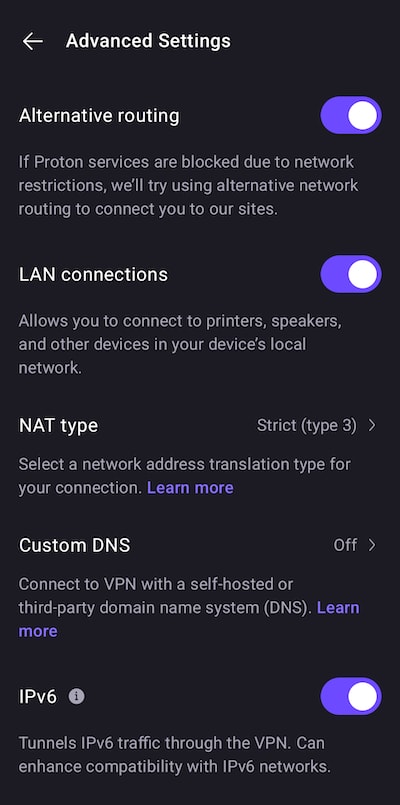
Внизу страницы вы можете Выйти. Здесь также можно найти номер версии используемого вами приложения Proton VPN, что может пригодиться при устранении неполадок.
Узнайте подробнее о том, как работает VPN
Виджеты Proton VPN для Android
Proton VPN поддерживает виджеты на Android. Их можно разместить в любом месте главного экрана. Это позволяет легко проверять, подключены ли вы, и обеспечивает удобный доступ к подключениям и профилям в одно касание без открытия приложения Proton VPN.

Узнайте, как использовать виджеты
Ручная настройка OpenVPN и WireGuard
На Android можно вручную настроить OpenVPN и WireGuard, но при этом вы потеряете все дополнительные функции, доступные в приложении Proton.